Ops Hub
Ops Hub is a custom ERP platform built for a technology services company operating across multiple delivery centers. It connects HR, project management, resource planning, and financial operations in one system, replacing fragmented processes and manual work with tools built around how the business runs.
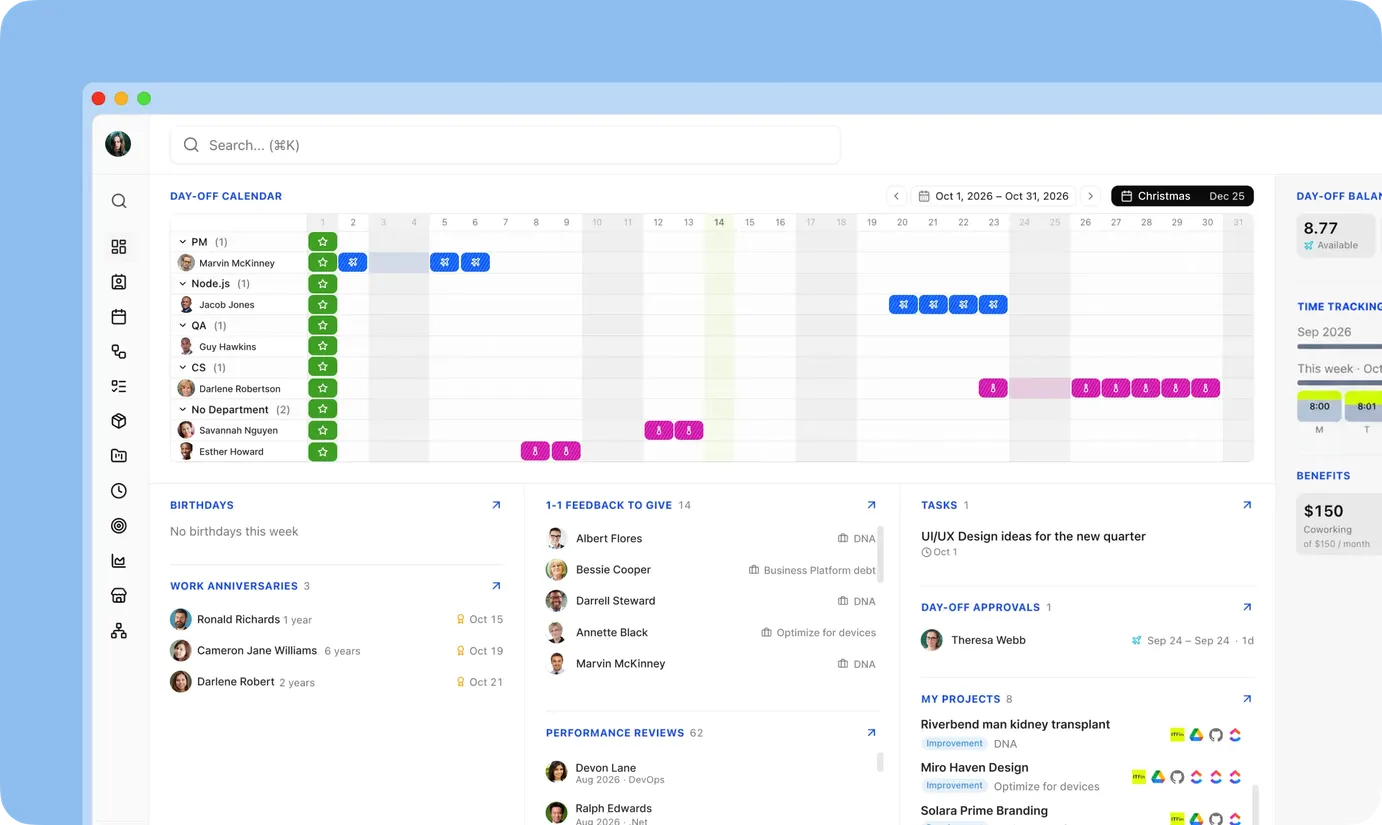
About the project
Our client is a technology company with around 250 people working across 150 active projects and several delivery centers. Their operations and effectiveness rely heavily on keeping employee data, billable time, resource allocation, and invoicing in sync.
Yet, that data lived in separate systems: one for HR, another for tasks and time tracking, a third for finance, with spreadsheets filling the gaps. Each tool came with its own subscription or one-time payment. As the company grew, so did the work and cost of keeping all these systems running side by side.
What we set out to do
The client had tried several SaaS tools, which covered 85–90% of what the team needed, but adapting the remaining 10–15% across HR, finance, and resource planning was slow, expensive, or simply not possible.
The goal was to replace those separate tools with one central platform: structured data for people, projects, and finance, plus automation for work that ran on manual steps and written instructions. Three decisions shaped the system:
Built-in access control: keeping sensitive information protected at every level.
Configurable processes: allowing teams to adapt workflows without rebuilding the system.
AI for everyday operations: automating repetitive work and making business knowledge more accessible.
Bringing AI into the design process
The design for Ops Hub had a straightforward job: make the platform practical for the people using it every day. Claude, already used for search and CV parsing, also took on a meaningful share of the design work. Business analysts worked alongside UX/UI designers to ground screens and flows in how the client’s teams work day to day.
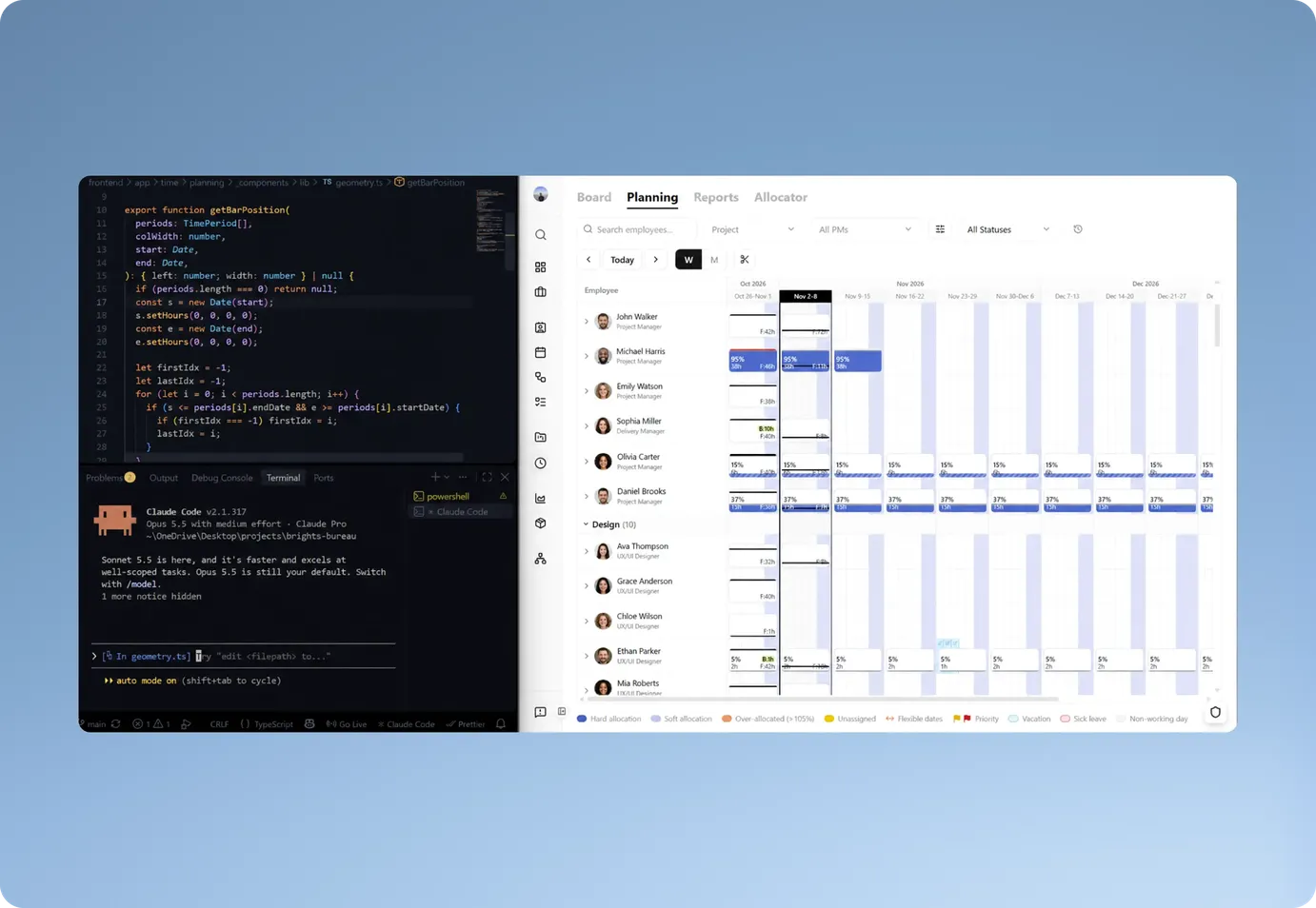
The main challenge: migrating without disrupting operations
The key tech challenge was migrating to the new platform without stopping daily operations. Both environments had to run in parallel, with integrations keeping data in sync throughout the staged transition.
Our team set clear migration milestones, validating each stage against the old systems before gradually retiring them. This approach kept HR, finance, and delivery data aligned as we replaced the old stack.
Inside Ops Hub: a closer look at the functionality
Every part of Ops Hub feeds the next. Employee skills inform staffing, staffing becomes planned project time, planned time is compared with tracked hours, and the same data drives invoicing and margins. As a result, each team works from the same numbers.
Finance and reporting on demand
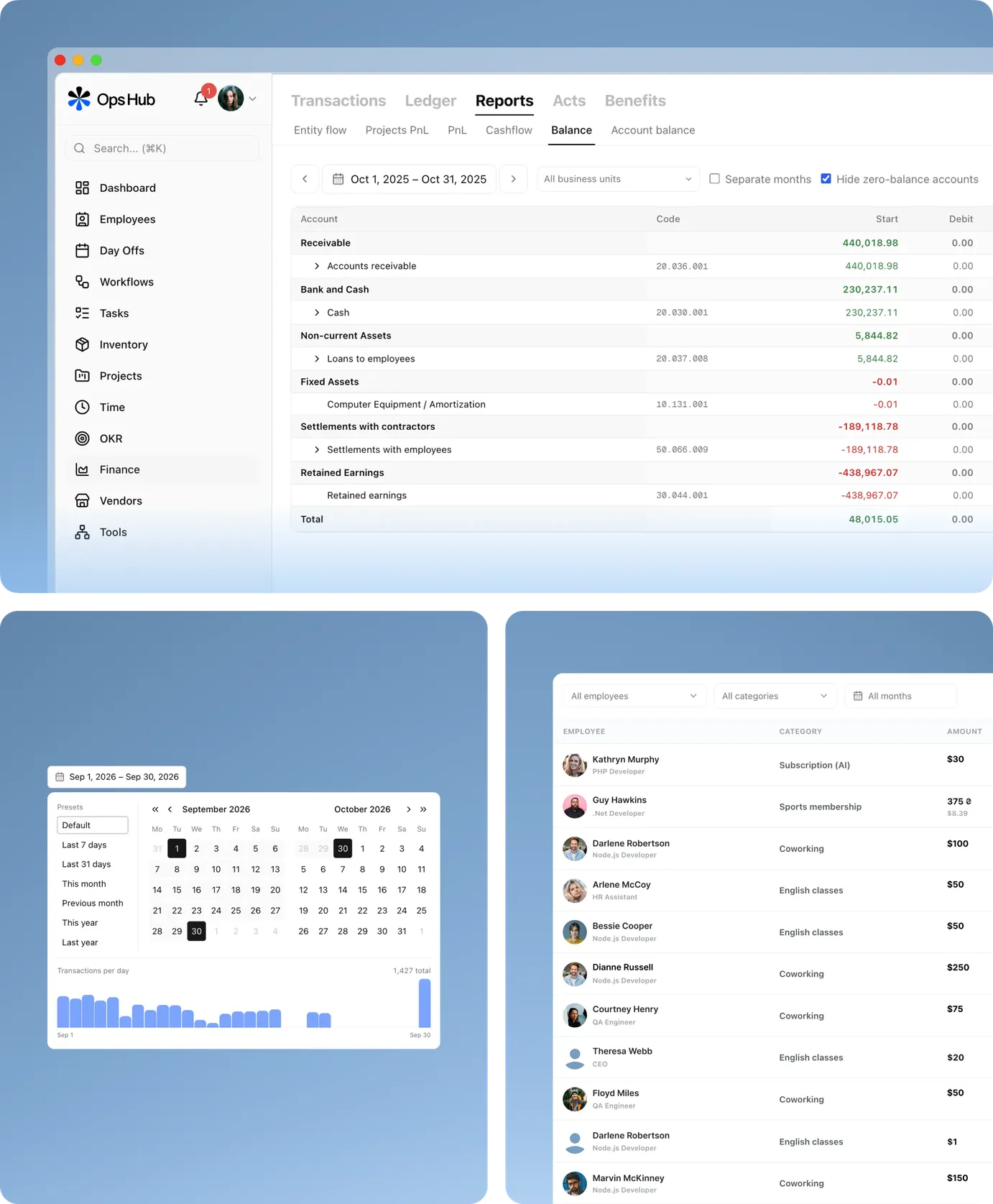
Finance in Ops Hub uses the same people and project data as the rest of the platform, giving leadership a clear view of the numbers behind ongoing work. A general ledger mirrors the client's finance system, with reports recalculated on demand and reconciled to the penny.
Up-to-date financial data. Nightly syncs keep the ledger, clients, business units, and currencies aligned with the finance system.
P&L and project profitability. Configurable reports show department heads relevant P&L figures and calculate monthly project margins from actual revenue and costs.
Money flow and cash flow. Reports trace payments through salaries, taxes, and expenses, while tracking daily bank balances in a common currency.
Invoices and contractor acts. Invoice tracking covers amounts, VAT, and approvals, with e-invoicing and electronic signing for selected processes.
Role-based financial reporting. Finance sees the full picture, while project managers access profitability figures only for their projects.
AI agent for transaction reconciliation
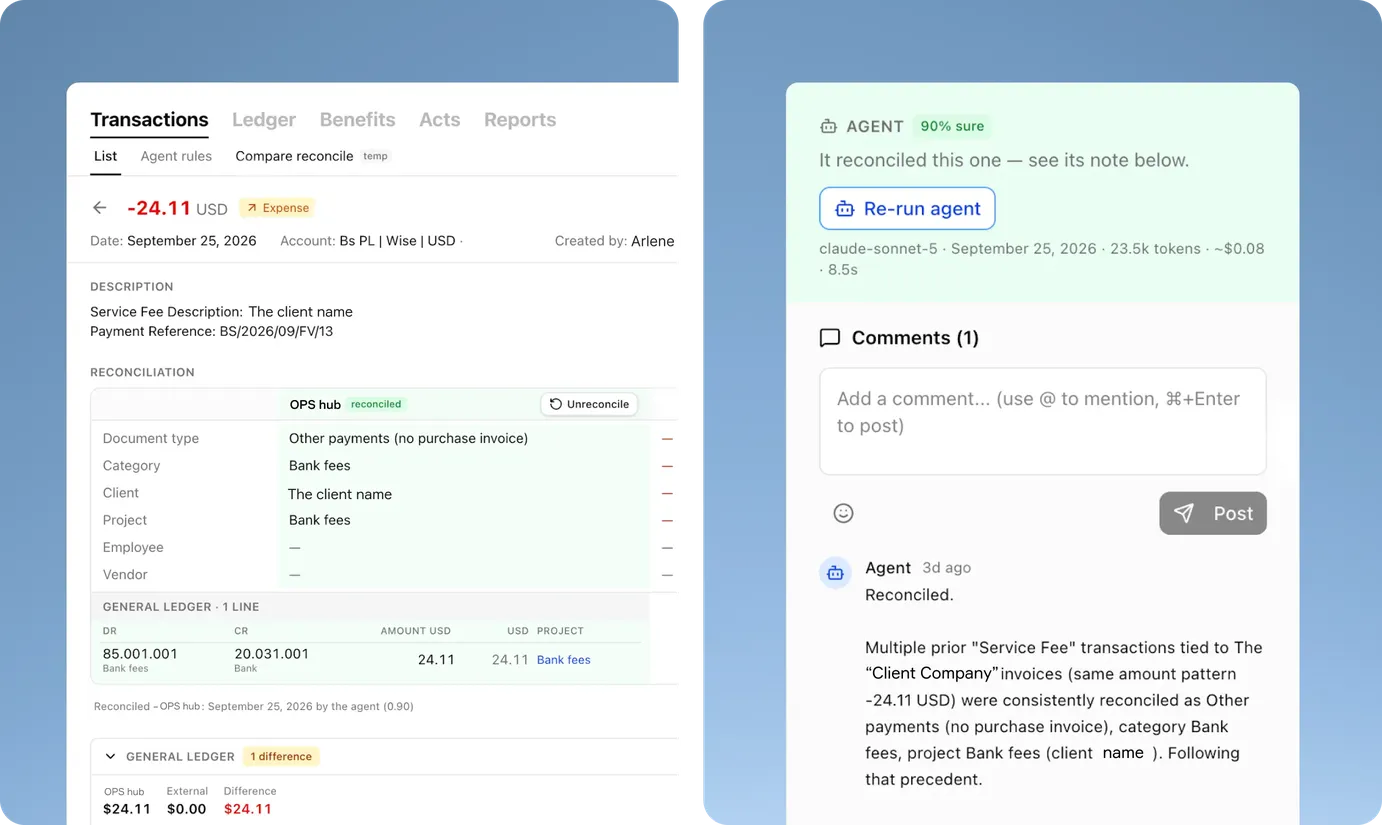
Every transaction in the ledger, from client payments to salaries and subscriptions, needs a document type, category, project, invoice, and matching accounting record. An AI agent now does the first pass on a schedule, using transaction history and established rules. When a transaction breaks earlier patterns, or the agent is unsure, it goes to the accounting team, who can add instructions in a comment and rerun the agent.
“We handle about 1,000 transactions a month. Tagging each one by hand used to eat into every month-end close. Now we start from the agent’s results and step in only where something looks off.”
Resource planning, AI-assisted allocation, and MCP integration
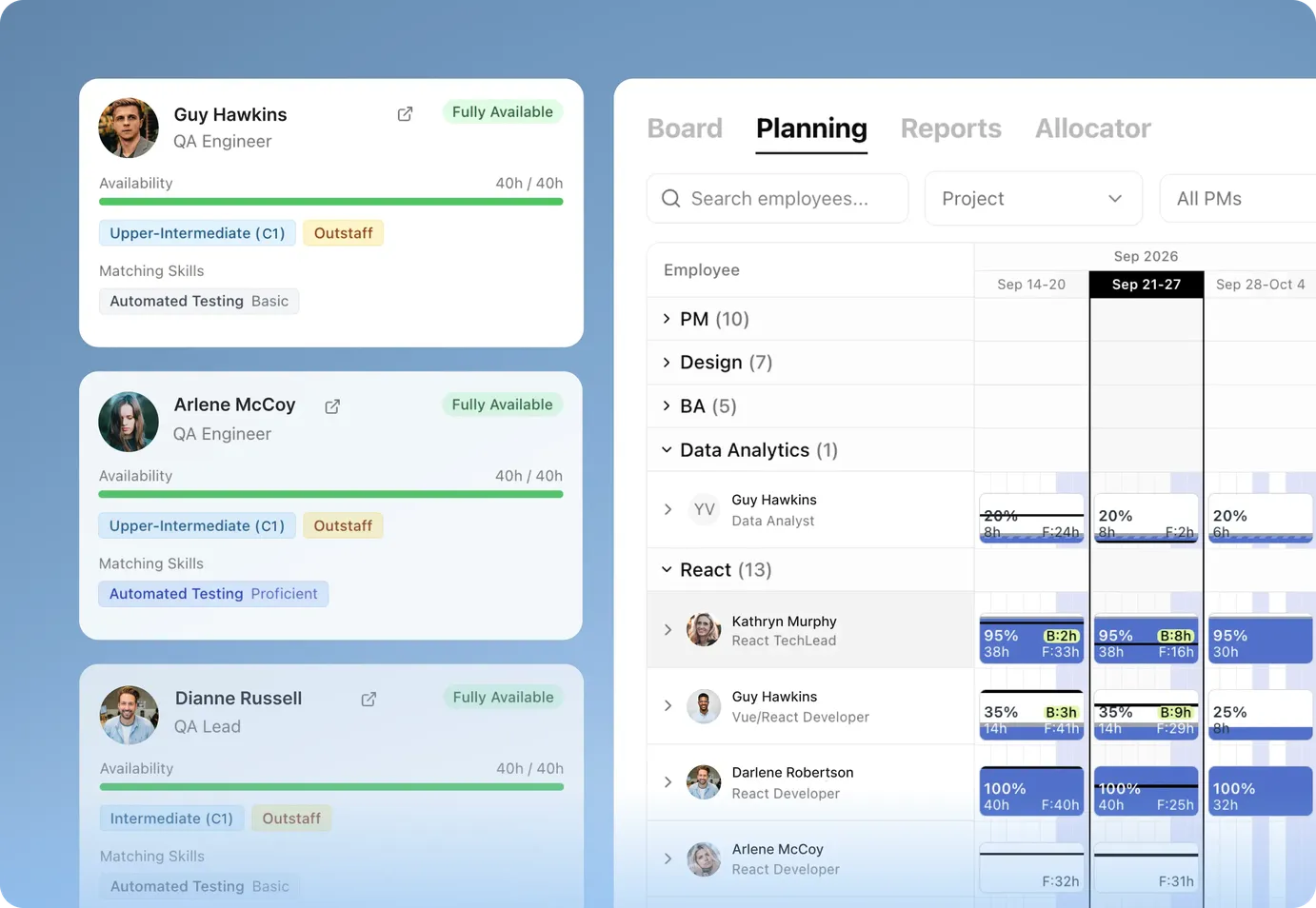
With 150 projects running at once, staffing used to mean asking around, checking schedules, and piecing everything together. Now skills and availability can be searched in one place, and a shortlist for a new project takes minutes. The company's project history is also a searchable knowledge base, so sales, marketing, and delivery teams no longer dig through past projects.
Skills-based matching connects employees to projects based on expertise, availability, and time windows.
AI-powered CV parsing extracts structured information from uploaded CVs.
AI project search helps find relevant portfolio experience by industry, technology, or solution type using natural-language queries.
MCP server gives AI assistants like Claude access to structured project and resource data, allowing teams to query the platform directly from their AI tools.
Automating everyday operations
Ops Hub brings scattered processes into one platform, automating repetitive work and keeping data connected across systems.
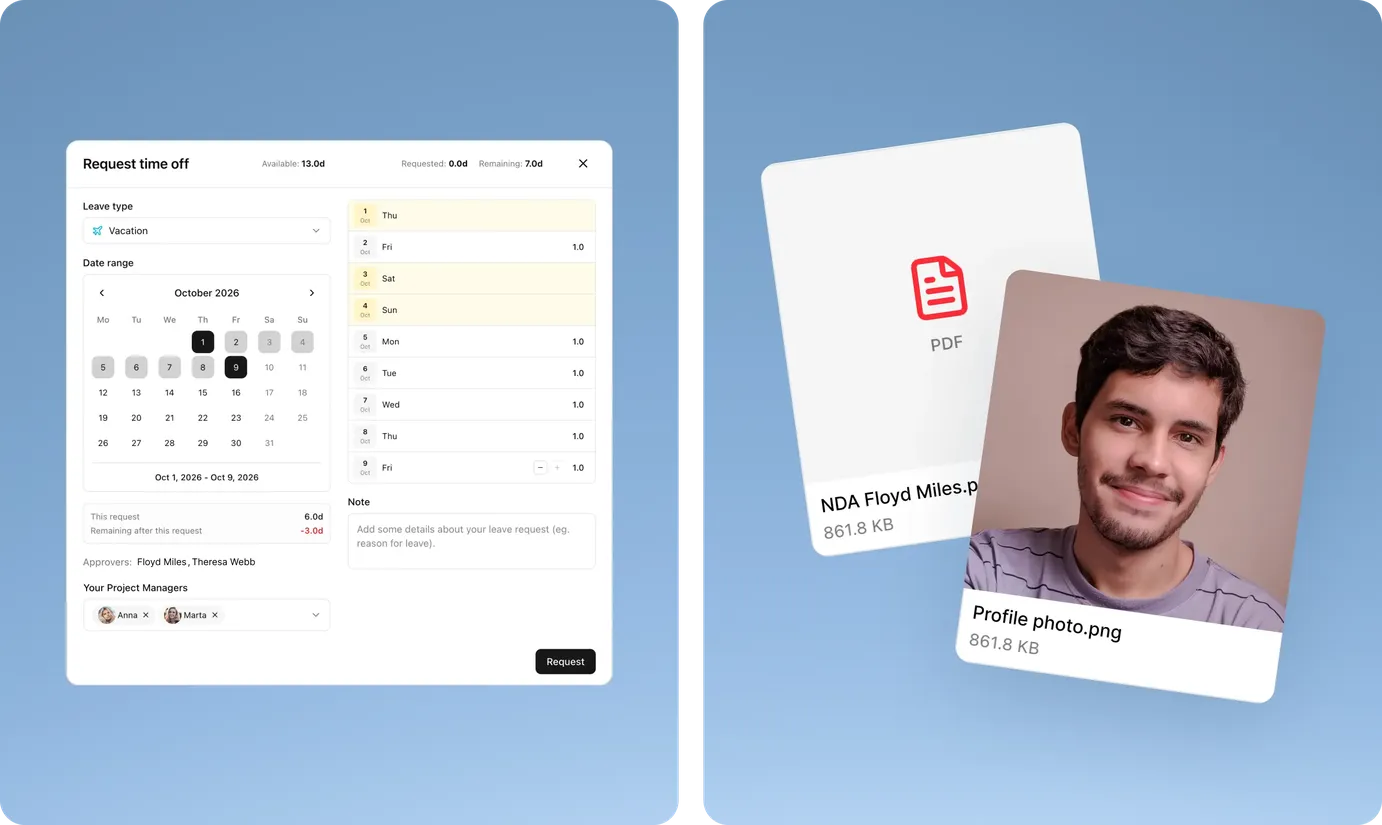
Approval flows for time off, reviews, and other multi-step processes, tied to balances and a working-days calendar.
Dynamic forms for onboarding, profile updates, self-assessments, and surveys.
Document generation for financial documents, CVs, Excel reports, and bulk archives.
Built-in communication for comments, mentions, and notifications within relevant tasks.
Asset management and audit tools for tracking equipment, user activity, and scheduled processes.
Employee records and HR processes
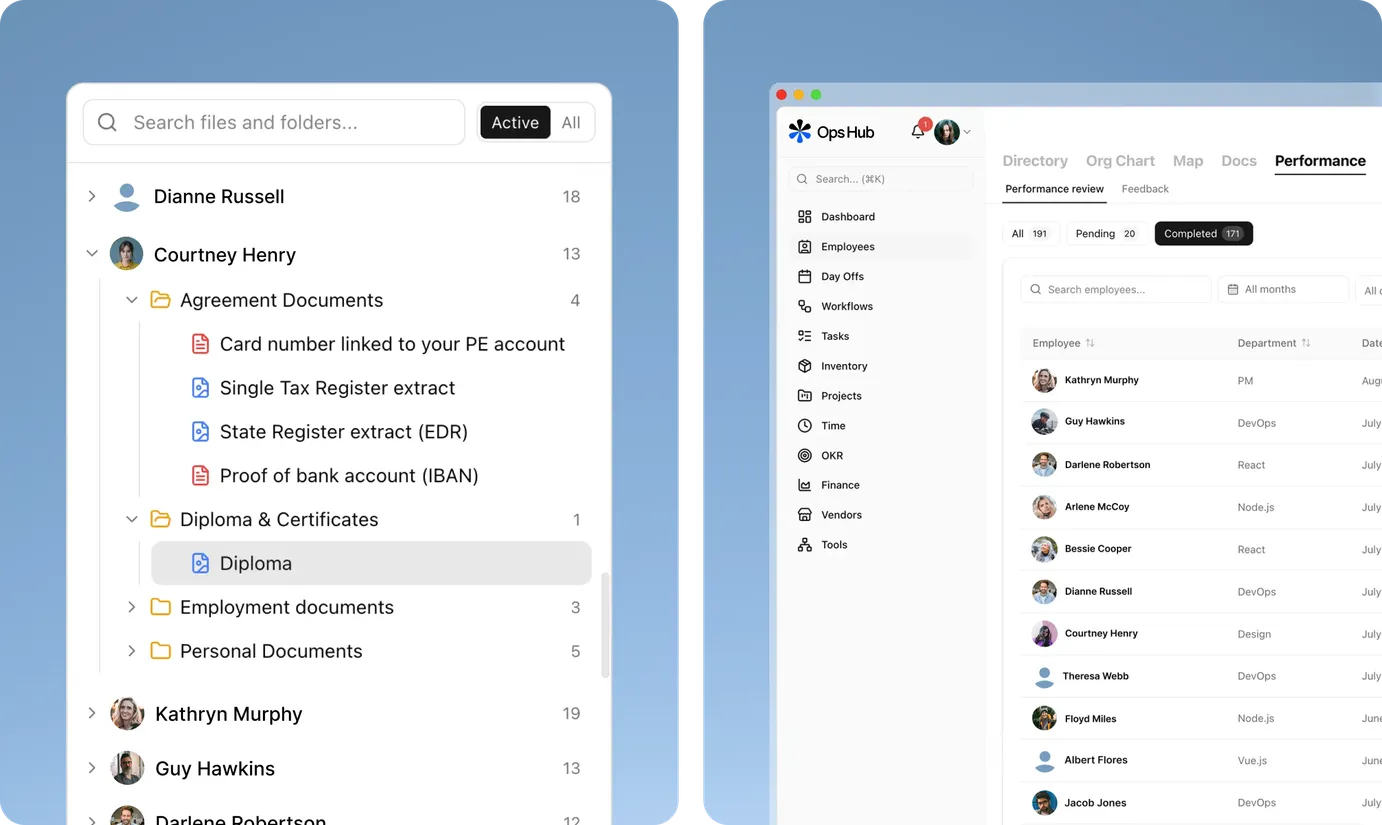
Employee information is searchable, access is controlled down to individual records, and routine HR processes are managed in one place.
Secure document storage manages employee files, uploads, and generated documents.
Time-off management tracks balances, requests, and working-day calendars.
Performance reviews and one-on-ones bring scheduling and meeting history into one place.
Development roadmaps collect growth goals, review results, and progress into one view for career planning and salary reviews.
Role-based access control
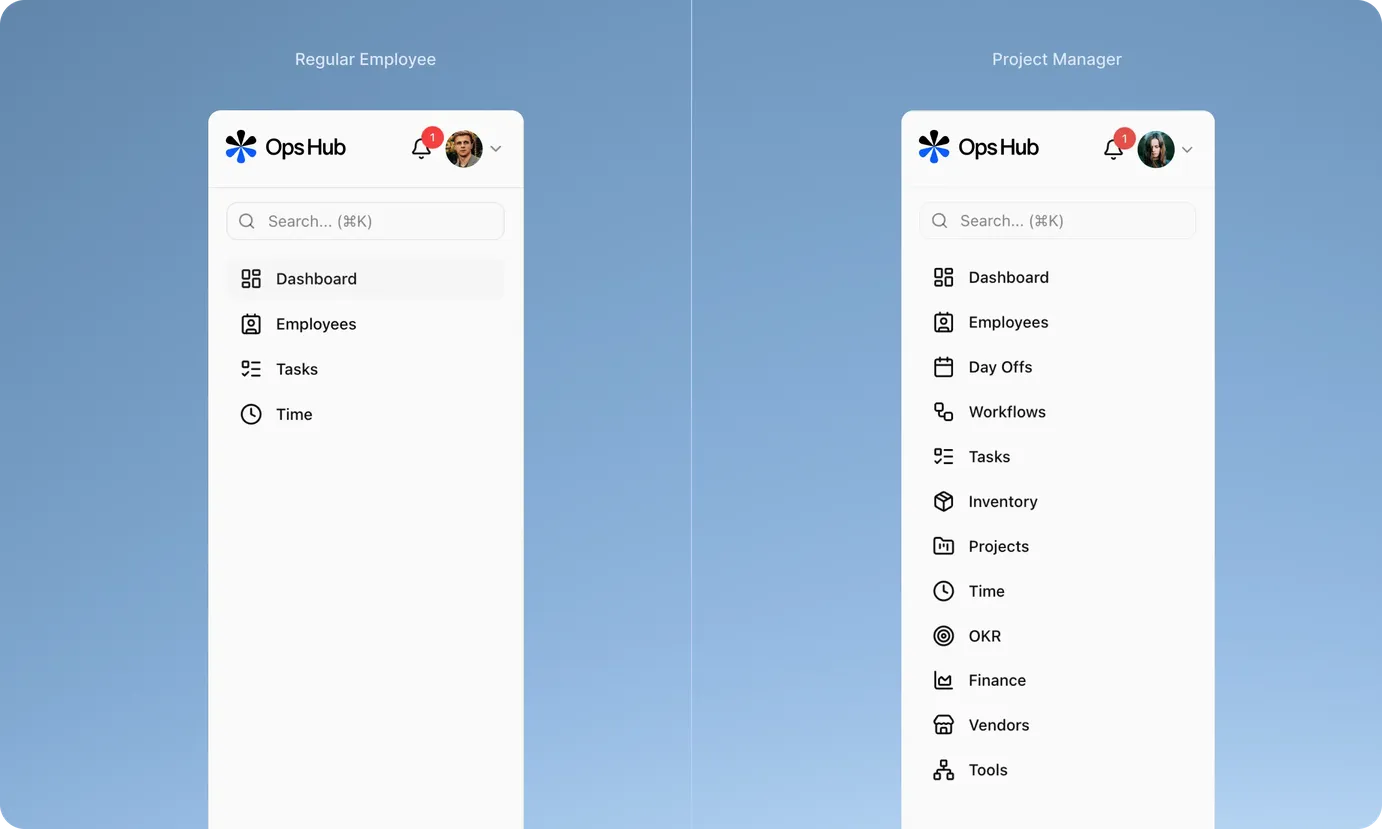
Ops Hub uses a granular role-based permission model where view and edit rights are set separately, and access can be granted company-wide, for managed teams, or only for records a person owns.
Employees manage their profiles and time off without seeing colleagues' sensitive data.
Department heads access their teams' information.
Project managers see financial data for their own projects.
Finance and HR receive broader access their work requires.
Permissions are enforced on the server, filtering out restricted data down to individual fields. Administrators can adjust roles and permissions through a visual editor without developer involvement.
Technologies


Integrations








The impact of Ops Hub
Ops Hub gave our client a single, current view of people, projects, resources, and finance, while moving manual processes into the platform. The impact shows up in both time and cost savings:
≈1,000 monthly transactions reconciled by an AI agent, with people reviewing exceptions
Up to 30% productivity gains, depending on the role
Around 20 hours saved per quarter for every stakeholder
$12,000–15,000 saved each year on subscriptions to tools the platform replaced
The change goes beyond doing the same work faster. The system has replaced manual instructions, guiding employees through each step and reducing checks and duplicated work.
There’s more ahead for Ops Hub. Next up are a recruitment module, UX/UI improvements shaped by user feedback, and more ways to bring the client's day-to-day work into the platform.

Want to make your actual workflows part of the system? Let’s talk
Request a quote.
Thanks for scrolling this far. Let's take the next step. Provide us with a brief description of what you are going to build.