A Complete Guide to SaaS Integrations and Their Benefits

For product companies, SaaS integration becomes a recurring part of growth. As the product expands, it needs to connect with other platforms to meet customer expectations. Organizations that rely on multiple SaaS tools face a different challenge: integrating new solutions into existing enterprise systems to automate cross-department workflows and ensure reliable data exchange.
The goals may differ, but the requirement is the same: systems must work together predictably, maintain clear data ownership, and remain adaptable as complexity increases.
At Brights, we help product teams and growing companies design SaaS integration strategies aligned with product architecture, business processes, and ecosystem requirements. In this guide, we explain how SaaS integrations work and explore the approaches companies can take. But let’s start with a clear SaaS integration definition.
Key takeaways
SaaS integrations allow data and actions in one system to automatically trigger processes in another, reducing manual work and coordination gaps.
SaaS data integration gives teams a real-time view of operations, helping them link performance metrics to business outcomes and make faster decisions.
No single integration approach fits every case. Native integrations cover standard scenarios, while custom solutions address more complex workflows.
A successful integration of a SaaS product depends on accurately assessing workflows, platform compatibility, and internal capabilities, not just choosing the right technology.
What is SaaS integration?
SaaS application integration means connecting different software systems so they can exchange data, communicate, and operate as part of a single operational workflow. As a result, actions in one system can trigger updates, processes, or decisions in another.
SaaS integration can cover a wide range of solutions, including:
CRM with marketing automation tools to ensure customer and lead data moves automatically between sales and marketing systems.
HR system with payroll tools to synchronize employee and compensation data and reduce salary processing errors.
SaaS product with enterprise ERP to incorporate new solutions into core processes such as billing, procurement, or reporting.
Benefits of SaaS integration
One of the key benefits of SaaS integration is its ability to support growth, whether a company builds its own product or relies on multiple third-party solutions to run daily operations. But let’s take a closer look at how it impacts businesses in practice.
Better data accuracy and visibility
As companies scale, critical business data becomes distributed across multiple SaaS: CRMs, ERPs, project management platforms, analytics systems, etc. Each application becomes a partial source of truth, often resulting in duplicated records and misaligned financial or operational metrics.
But integrating SaaS applications creates a shared data environment, where data stays accurate, consistent, and continuously updated across systems, while the company’s management can monitor operations in real time.
Improved decision-making
Business decisions usually require linking activities across functions. For example, companies may need to connect delivery capacity with revenue, customer retention, or service costs to evaluate performance and adjust resource allocation. SaaS integration allows this cross-functional view, reducing manual reconciliation and improving decision speed and reliability.
Unified data also improves forecasting. Integrated environments allow companies to anticipate outcomes and identify risks earlier instead of simply reporting past performance.
Enterprise readiness and ecosystem compatibility
The previous SaaS application integration benefits mainly apply to companies integrating third-party SaaS tools into their operations. But this one matters most for companies that build their own SaaS product and want to target enterprise clients.
Enterprises evaluate software based on how well it fits into their existing ecosystem. So, when evaluating a SaaS product, the question is rarely whether a product works in isolation and more often whether it integrates into the broader environment or not.
How SaaS integration technically works
Behind every SaaS integration is a set of technical mechanisms that allow systems to exchange data and coordinate actions. Let’s look at the core components to understand how integrations work.
APIs: The core of SaaS integration
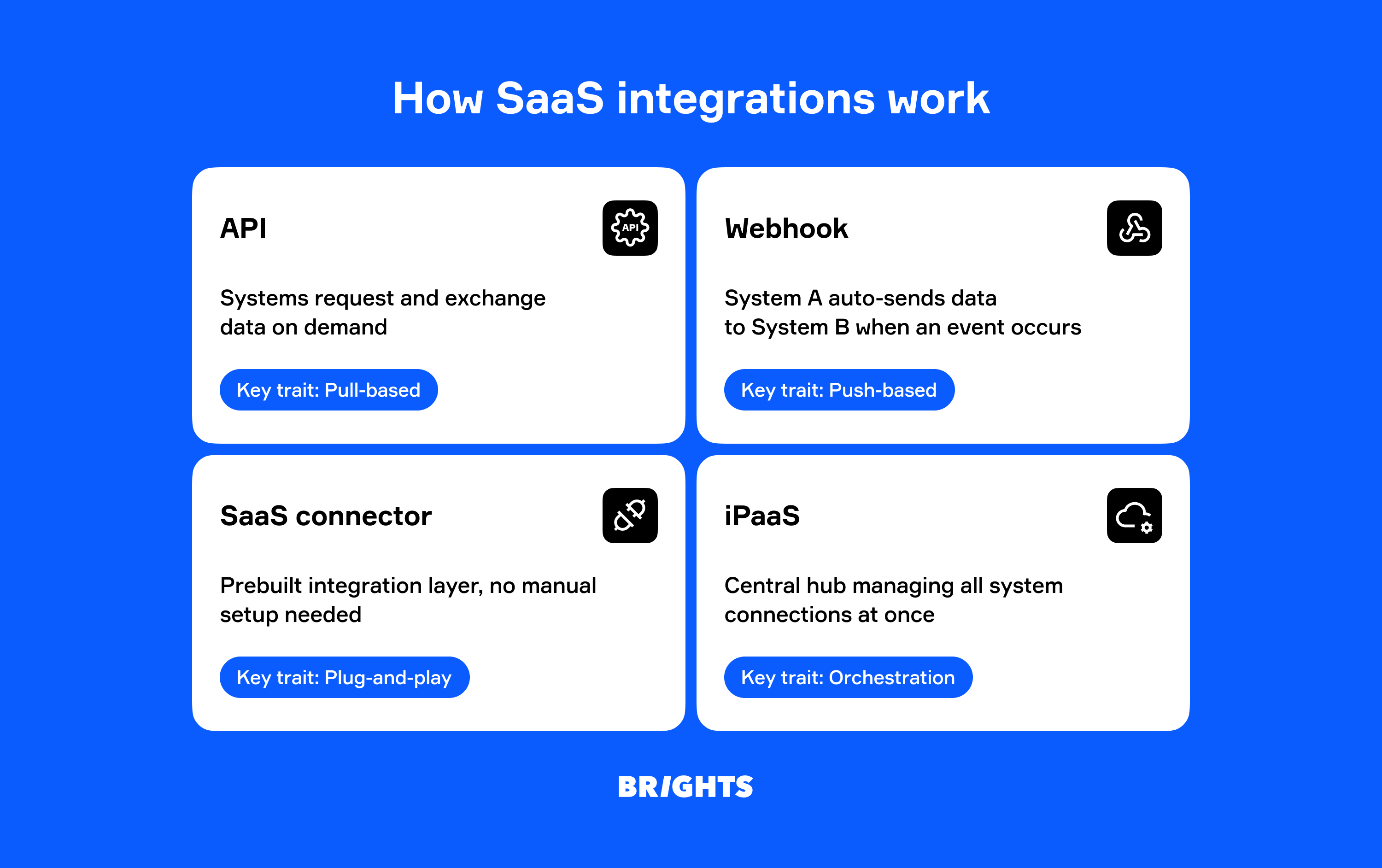
Most SaaS software integrations rely on Application Programming Interfaces (APIs). APIs use a request-response model that allows systems to communicate (request data, create or update records, trigger actions, or receive confirmation) without directly accessing each other’s internal logic or databases. For example, a CRM system can use an API to retrieve subscription data from financial systems for customer reporting.
Because this communication happens on demand, SaaS API integration doesn’t grant unrestricted access — organizations control what data can be shared or modified themselves.
Webhooks: Real-time communication between systems
While APIs allow systems to request information when needed, webhooks allow applications to automatically exchange data when specific events take place. Here’s how it works:
System B (a CRM) registers a webhook endpoint with System A (a payment platform).
System A monitors events internally.
When a predefined event happens (a customer completes a subscription payment), System A automatically sends relevant data to System B.
In most SaaS integrations, webhooks and APIs are not either-or options. They work together to allow near real-time synchronization between systems while reducing the need for constant API polling.
SaaS connectors: Prebuilt integration shortcuts
A connector is a preconfigured integration layer, typically developed by a SaaS vendor or integration platform. It includes the API and webhook setup needed for systems to exchange data, which saves teams from building the integration layer manually.
SaaS connectors act as shortcuts for common integration scenarios, so they work best when widely used systems need to interact, and workflows follow standard patterns.
SaaS integration platforms: An orchestration layer
While direct (point-to-point) connections may work well at the early stages, integration complexity surges as additional tools are introduced. A SaaS integration platform (often called iPaaS) acts as a coordination layer to solve this challenge, organizing and managing multiple system connections through a central hub.
| Central integration hub | Point-to-point connections | |
|---|---|---|
| Architecture | Systems connect through a central platform (iPaaS) | Systems connect directly to each other |
| Number of connections | Each system connects once to the integration platform | Each system must connect separately to every other system |
| Scalability | Easy to scale as new applications connect through the platform without affecting existing integrations | Limited scalability because each additional application increases the number of required system-to-system integrations |
| Maintenance | Integration logic and updates are managed centrally | Every system update may require revisiting multiple existing integrations |
Integration approaches: Native, custom, or platform-based?
SaaS integration doesn’t mean the same thing in every case. Depending on the approach, they are implemented and managed differently, which leads to different levels of synchronization, automation, and responsiveness.
Native integrations
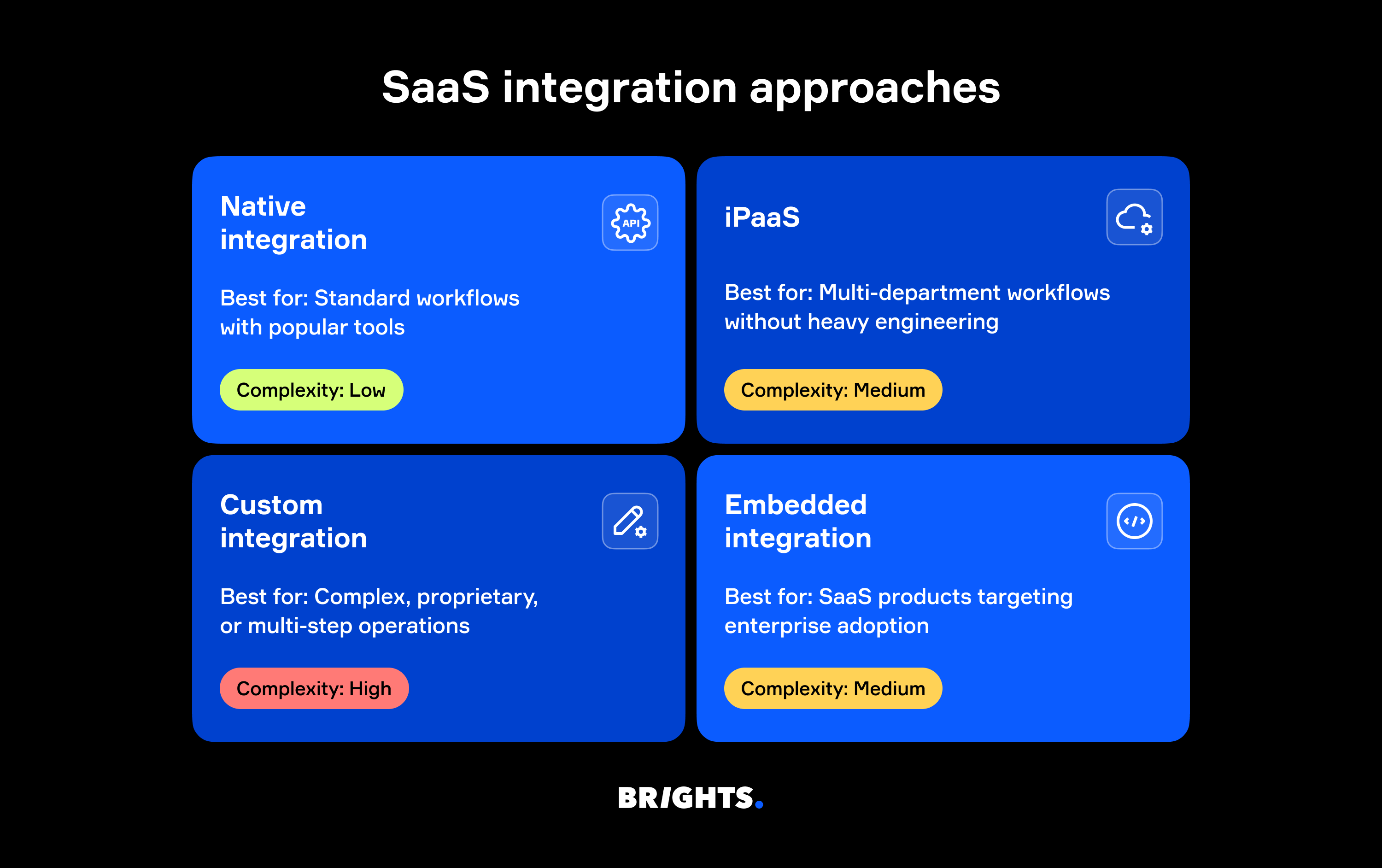
A native integration is built and maintained directly by the SaaS product vendor. Since authentication and data mapping are predefined, users typically only need to enable the integration through product settings. For example, Slack integrates natively with Google Drive, and HubSpot with Salesforce.
This approach works well for standard use cases involving widely adopted tools. However, it can become limiting when workflows differ from default logic or when multiple systems need to work together.
Integrations via iPaaS
Companies typically turn to iPaaS when native integrations are no longer enough, but building custom ones feels unnecessary or too costly. This often happens as more SaaS solutions are introduced, and workflows start spanning multiple departments.
Since integrations via iPaaS are configurable and not fully coded, they reduce the need for heavy engineering investment, but the trade-off is platform dependency. Plus, iPaaS may still be limited for highly custom logic.
Custom SaaS integrations
Custom integrations are fully engineered solutions built specifically for a company and tailored to its workflows and ecosystem. Businesses choose this approach when their workflows become too complex for standard integrations, for example, when they involve multi-step or proprietary operations.
In addition to flexibility, custom SaaS integrations give teams full control over integration logic, data flows, and automation rules. This makes them a good fit when long-term ownership matters more than the fastest or lowest-cost implementation.
Embedded integrations
Embedded SaaS integrations are essentially native integrations viewed from the product vendor’s perspective. For customers, they offer an easy way to connect supported systems. But product companies must maintain them as part of their platforms and ensure that changes in third-party APIs don’t disrupt product functionality.
Despite the maintenance effort, embedded integrations often improve product adoption by aligning the product with customer workflows.
Common SaaS integration challenges
SaaS application integrations strengthen both operations and product capabilities. Yet the SaaS integration tools and implementation approaches behind them can become a source of technical and organizational issues if you don’t choose them wisely.
Limited or poorly documented APIs
Every SaaS integration depends on another system’s API. If those APIs are limited (missing endpoints, restricted data access, inability to trigger certain actions, etc.), integrations may remain incomplete or require workarounds.
Another common problem is weak documentation. If this is the case, engineers often have to guess how the system behaves, slowing implementation and increasing the likelihood of breakage as platforms evolve.
Security and compliance concerns
Connected systems exchange data automatically, and while this allows automation, it also creates additional access points that need to be secured.
Integrations can also make compliance harder to manage. Companies that must follow data protection regulations, such as GDPR, HIPAA, or SOC 2, need to ensure that connected third-party systems meet the same standards.
Vendor lock-in
Every SaaS integration introduces dependencies in data formats, workflows, authentication setups, and more. Over time, this makes switching systems harder, especially if a new solution handles data or processes differently.
For product companies, partner API changes or pricing adjustments can directly affect product functionality and roadmap stability.
How to choose the right SaaS integration approach
Choosing a SaaS integration approach isn’t only a technical decision. It starts with understanding your business context and how systems need to work together — now and in the future.
With that in mind, the evaluation usually comes down to three core steps:
Assess business goals and workflows. Identify which workflows must be connected, what outcomes integrations should support over time, and how data should move between systems.
Evaluate platform compatibility. Review API availability, documentation quality, and the maturity of the platform’s ecosystem to understand how integration-ready a solution is.
Factor in internal capabilities. Consider whether your company has the resources to build custom integrations, or if it makes more sense to rely on external SaaS integration software.
Real-world SaaS integration example: Showcase
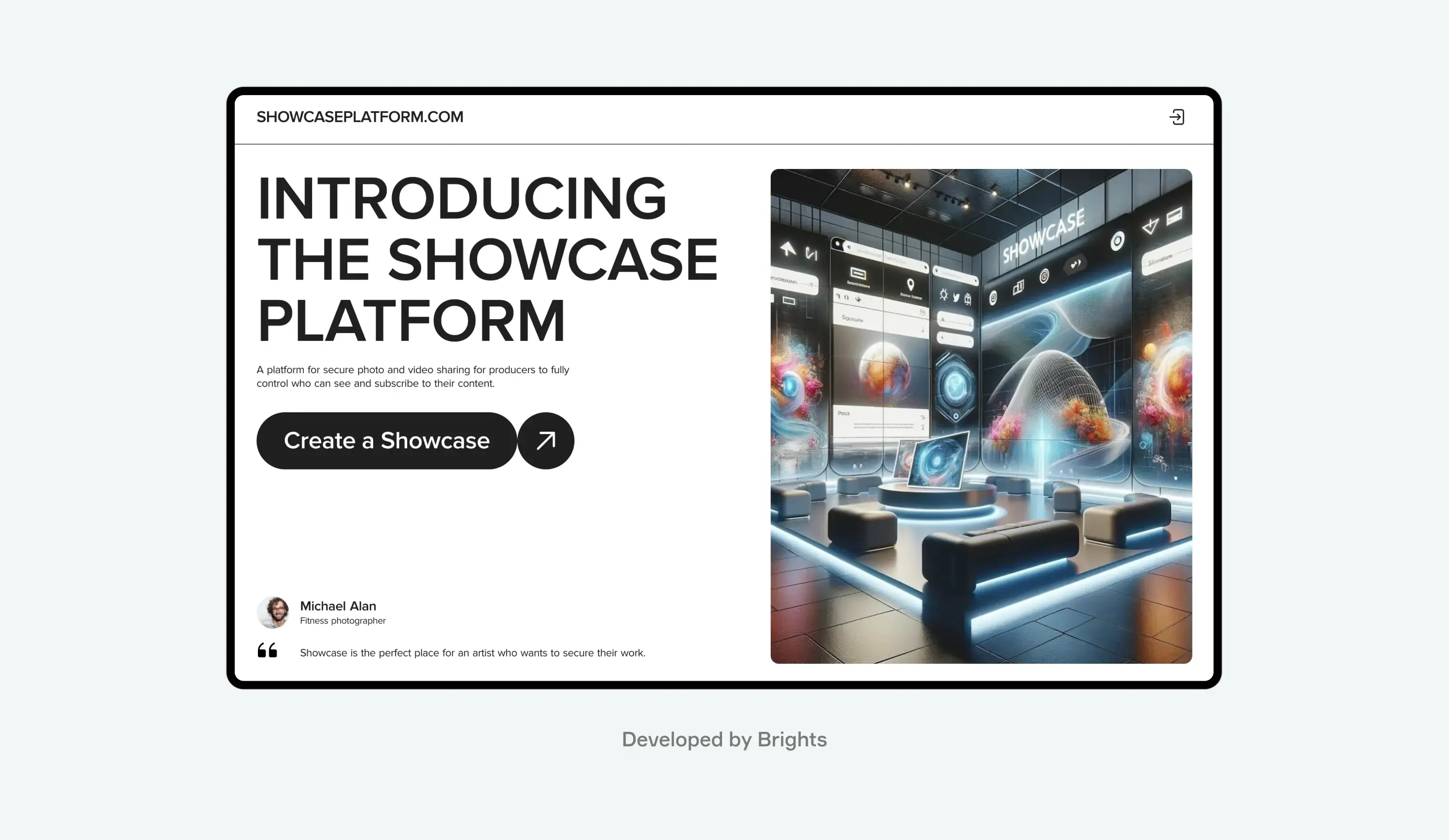
Showcase is a SaaS platform that helps creators and companies securely share visual content while protecting it from intellectual property violations. To do so, they needed a way to apply invisible digital watermarks to shared content, and Brights was happy to help.
Instead of building this capability from scratch, we integrated the platform with IMATAG, a third-party SaaS solution specializing in digital watermarking. The integration allowed Showcase to:
Embed IP protection directly into the product experience
Automate watermarking as part of everyday user workflows
As a result, content ownership can now be automatically tracked and protected without adding extra steps for users.
Conclusion
While SaaS integrations are central to how modern products and organizations scale, they can only deliver value when these integrations are thoughtfully designed and implemented. A well-planned SaaS integration strategy helps prevent operational bottlenecks, reduces technical risk, and ensures your technology stack can evolve alongside your business.
At Brights, we help make that happen. With years of experience in SaaS integration services, we support companies across every stage of the process, from SaaS software consulting to full-cycle SaaS development services.
FAQ.
When choosing an integration partner for SaaS integration, look beyond technical expertise alone. A strong partner should understand enterprise workflows, security and compliance requirements, and how integrations affect long-term product architecture. It’s also important to review similar projects in their portfolio and feedback from previous clients.


