SaaS Architecture: Guide & Best Practices for Scalability

No matter how brilliant the concept behind your Software as a Service is, the product will eventually crumble without a solid, modern SaaS architecture. As a tech team specializing in SaaS development, we know this all too well.
As Brights’ software architect Serhii P. explains:
“The way you design SaaS architecture directly affects how fast teams can move, how flexible the system stays over time, and how much room the product has to grow.”
Reliable cloud infrastructure, tech stack for the application layers, APIs, and security measures — that’s your SaaS’s foundation. But designing advanced SaaS application architectures comes with its obstacles: unexpected cost increases, problems with scaling, and slower development processes.
In this article, we use Brights’ experience building SaaS products like WindowSeat and Showcase to break down how SaaS architecture decisions play out in real products. We’ll cover common architecture models, scaling trade-offs, and the practical considerations teams face as products grow.
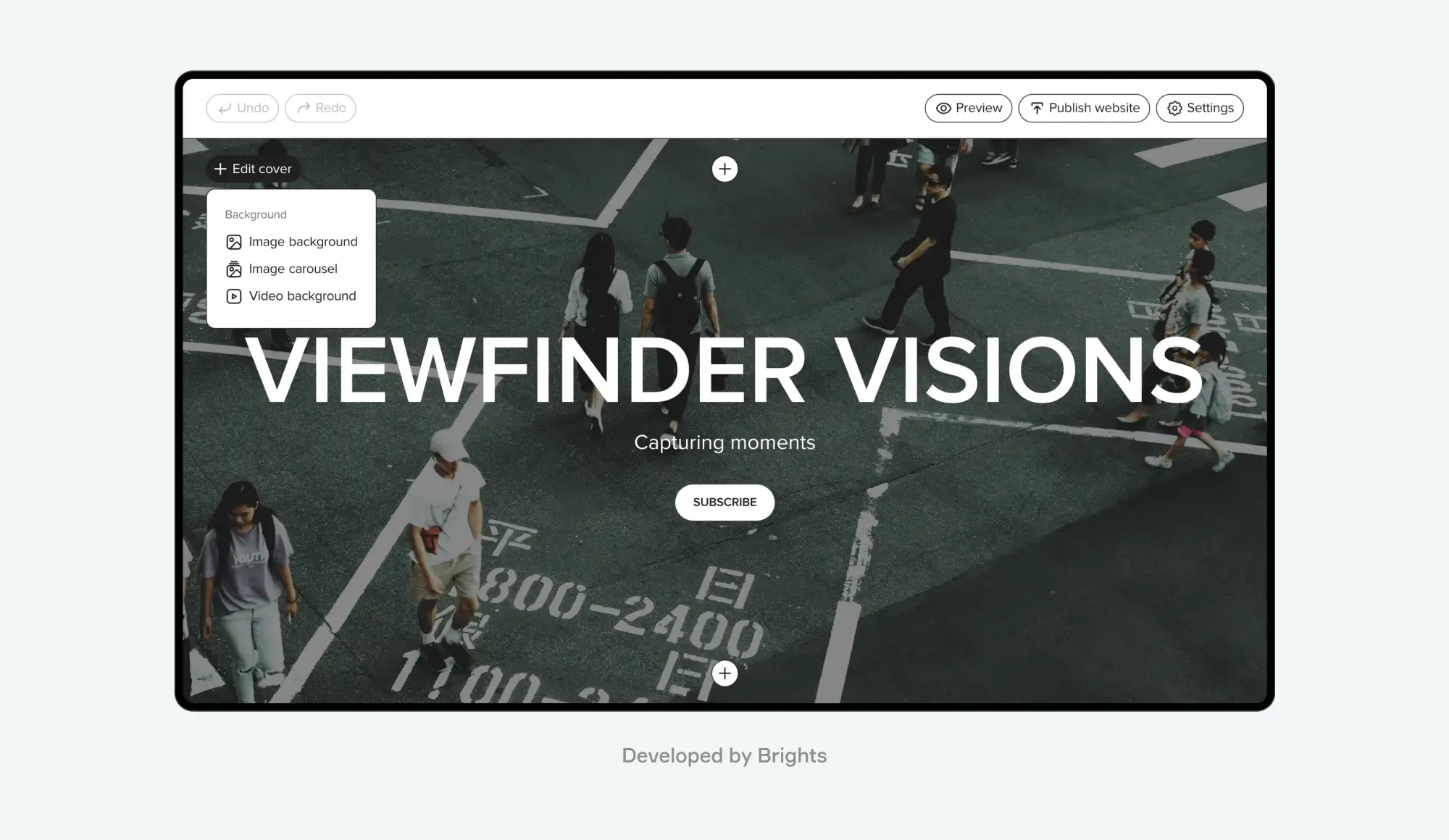
Showcase, a SaaS web builder for digital creators. Developed by Brights
Key takeaways
Modern SaaS application architecture starts showing its value once a product begins to grow. The way the system is put together from the start affects how easily teams can add features, fix issues, and keep things running under higher load.
A scalable SaaS-based application architecture makes growth less stressful. When scaling is part of the setup, higher traffic doesn’t automatically mean performance problems or last-minute infrastructure fixes.
SaaS solution architecture has a direct impact on costs. Stable, predictable spending usually comes from how tenancy, data, and scaling are designed, not from chasing cheaper cloud pricing.
Choosing between a monolith and microservices depends on how complex the product is and how often it needs to change. What works best is a setup that fits how your team works and how the product runs.
Why the right SaaS architecture is a business advantage
The benefits of SaaS architecture decisions show up in more predictable costs, smoother scaling, and a system that’s easier to manage as it grows. SaaS architecture defines how all the pieces fit together, covering everything from where your code runs and how data flows to how users access your product and how it scales under changing demand.

The core components of a standard architecture for SaaS include:
Cloud infrastructure, often built on platforms like AWS, Azure, or Google Cloud
Application layers: frontend (UI), backend (logic), and database (data storage)
APIs for integrations with third-party services and custom functionality
Scalability mechanisms, such as horizontal and vertical scaling, to handle user growth
Security measures like encryption, access controls, and compliance with regulations
Disaster recovery mechanisms, including backup strategies, failover design, and clearly defined recovery time (RTO) and recovery point (RPO) objectives
Monitoring tools like real-time performance tracking and user analytics
SaaS solution architecture shapes everything from your monthly cloud bills to how quickly you can roll out new features. Let's look at these and other benefits of scalable SaaS architecture for modern businesses.
Predictable costs
You need to maintain healthy margins while scaling your solution, especially if you’re building a SaaS product with limited budget visibility. Modern SaaS applications architecture transforms unpredictable infrastructure costs into manageable expenses that grow with your revenue. So instead of gambling on expensive servers upfront, you pay for actual usage like storage, processing power, and bandwidth.
When you're just starting with a handful of users, the costs stay low. As you gain traction and your user base expands from 100 to 1,000 customers, infrastructure costs scale proportionally. This usage-based model is what allows many SaaS companies to grow without committing to large infrastructure investments upfront.
If you’re just starting out, check out our article on the cost of building a SaaS product for a realistic breakdown of what to expect.
Scalability
A well-designed SaaS application's architecture handles growth automatically by spreading traffic and workloads across multiple servers and resources. When you land a big client or your marketing campaign goes viral, the system scales horizontally by adding more instances without requiring expensive emergency upgrades or causing downtime.
Consider Zoom's journey: during the early months of the pandemic, the platform scaled from about 10 million to roughly 300 million daily meeting participants in just a few months, without a full architectural rebuild. Your architecture for SaaS should also turn user growth from a technical headache into a business victory.
Reliability
Modern SaaS platforms achieve exceptional uptime through distributed systems and redundancy. If one component fails, traffic automatically redirects to healthy components without disrupting service. This means you can confidently sign enterprise clients, run major promotional campaigns, or handle seasonal peaks without worrying about your platform crashing.
Just look at Netflix. The company engineers its platform for resilience rather than perfect uptime, using redundancy, failure isolation, and proactive traffic management to keep services available even when individual components fail.
Faster time-to-market
Properly designed SaaS solution architecture lets you launch your core product quickly and add features incrementally. By separating your platform's concerns, you can launch an MVP for SaaS and expand it based on market feedback.

WindowSeat, a family-oriented audio content app developed by Brights
Brights has seen these benefits in practice when working with modern architecture for SaaS. Here’s what our project manager Anna O. has to say about it:
“When WindowSeat needed a scalable app for family-focused audio content, time was tight — the team had just four months before MOMCON, a major parenting conference. Despite the short timeline, Brights delivered the app on schedule by making a few key architectural choices early.
We designed a SaaS application architecture that covered immediate product needs while leaving room for growth. React Native helped us move faster across platforms, while a Node.js backend supported scaling as usage increased. The overall structure also made it easier to add new features without disrupting the user experience.
This setup proved especially important for more complex requirements, such as offline playback, usage analytics for creator royalties, and reliably delivering over 1,500 audio dramas to a growing audience.”
Flexibility for innovation
The modular nature of architecture for SaaS gives products more flexibility as requirements change. New features can be built and tested on their own before becoming part of the main system. The same flexibility applies to third-party tools: a clear SaaS integration architecture helps teams plug in new services without breaking what’s already working.
For instance, Figma evolved from a simple design tool to a full collaboration platform as its SaaS solution architecture allowed it to gradually add real-time collaboration, plugins, and team libraries seamlessly. Similarly, Notion started as a note-taking app but expanded into wikis, databases, and project management tasks.
SaaS software architecture best practices heavily depend on architecture type, which is why the next step is understanding the available options.
Software as a Service architecture types
Each architecture of SaaS products is designed to serve a different purpose. The key is to find an option that matches your product’s goals, user needs, and growth plans. While figuring this out requires a full-fledged discovery phase, this table with the most common SaaS solution architecture types is a good starting point.
| Single-tenant architecture |
|
|---|---|
| Multi-tenant architecture | |
| Microservices architecture | |
| Monolithic architecture |
Best practices for scalable SaaS platforms
In SaaS development, architectural choices often look reasonable early on but reveal their limits as products grow. These best practices for SaaS architecture help teams make decisions that support a clear SaaS product development roadmap over time.

Microservices for modular design
As SaaS platforms grow in complexity, teams often introduce service boundaries to separate critical functionality and reduce coupling between components. Each service handles a specific task (user authentication, payment processing, data analytics, etc.) and can be updated or scaled independently.
So if your payment service needs an upgrade or analytics functionality sees a spike during end-of-month reporting, you can focus on that part without touching the rest of the platform. This approach also lets different teams work on different services simultaneously, speeding up development and reducing conflicts.
Explore microservices best practices.
Data security and compliance
Security in SaaS is a fundamental architectural requirement. It involves implementing encryption at rest and in transit, maintaining strict access controls, and regularly auditing security measures.
Modern platforms build compliance into their Software as a Service architecture from the start through data segregation for different regions to meet GDPR requirements, automated backup systems for data protection, and clear audit trails for all data access. And, of course, regular security assessments help identify and address vulnerabilities before they become problems.
Load balancing
Smart load balancing ensures your platform stays responsive no matter how many users are active. It works by distributing incoming traffic across multiple servers, preventing any single server from becoming overwhelmed.
In addition to dividing traffic, proper load balancers monitor server health, redirect users to the closest geographical server, and automatically remove problematic servers from rotation. This means your users in New York get the same quick response times as your users in Melbourne or Tokyo.

Automated scaling
In a SaaS business model, your platform's resources aren't static — they change throughout the day, week, and year. Automated scaling watches key metrics like CPU usage, memory consumption, and request queues, and then adjusts resources to match current demands.
A marketing campaign can bring a surge of new users, triggering additional servers to spin up. As activity drops during off-hours, excess resources scale down automatically to save costs. The system keeps performance steady without constant manual adjustments.
Multi-cloud strategies
Relying on a single cloud provider can leave your platform vulnerable to outages and limit your geographical reach. That’s why multi-cloud setups are becoming the norm rather than the exception: Flexera found that 89% of organizations use a multi-cloud strategy.
Rooted in strong cloud architecture, a multi-cloud strategy allows distributing your platform across multiple providers. So you can use AWS for core services, Google Cloud for machine learning features, and Azure for specific regional deployments.
This approach also gives you leverage in negotiations and lets you take advantage of each provider's strengths. The key is maintaining consistency in deployment and management across all providers.
How to choose the right SaaS application architecture: Checklist
Now that we've explored the key elements of SaaS applications architecture and best practices for building one, let's bring it all together. The checklist below reflects SaaS practices for designing scalable SaaS architecture in 2026, based on how modern products are built and operated.
| Critical infrastructure | Cost | Features | Flexibility |
|---|---|---|---|
| Cloud platforms (AWS, Azure, and Google Cloud) | AWS: Typically higher, but offers pay-as-you-go and reserved instance options for cost control Azure: Moderately priced, particularly appealing for businesses already using Microsoft tools Google Cloud: Competitive, especially for startups, with discounts for committed usage | AWS: Offers the broadest range of services, including storage, computing, and advanced analytics tools Azure: Integrates seamlessly with Microsoft’s ecosystem, ideal for hybrid cloud setups Google Cloud: Excels in AI/ML tools and analytics, making it great for data-driven SaaS products | AWS: Highly customizable, suitable for businesses needing fine-tuned solutions Azure: Strong for hybrid setups with both on-premises and cloud integration Google Cloud: Best for experimentation and innovation with data processing and ML |
| Disaster recovery: Backup strategies and failover systems | Varies by backup frequency and strategy (e.g., incremental backups reduce storage costs) Automated failover systems often come with higher initial setup expenses but save money by minimizing downtime | Scheduled backups ensure data is preserved regularly and securely Multi-region redundancy protects against localized outages Automated failovers ensure services switch seamlessly during disruptions | Can be tailored to meet specific RTOs and RPOs Options include cold storage for less critical data and hot standby solutions for mission-critical systems |
| Uptime guarantees: Service Level Agreements (SLAs) | SLAs with higher uptime guarantees (e.g., 99.99%) are usually tied to premium service tiers Compensation for downtime may vary by provider, with stricter guarantees often costing more | SLAs clearly define performance metrics, including response times and availability thresholds Providers typically offer monitoring tools and 24/7 support for SLA-compliant systems | Businesses can negotiate SLAs tailored to their operational needs, ensuring alignment with customer expectations Scalability within SLAs allows adjustments as user demands grow |
The right architectural setup depends on how your SaaS product will be used and how it’s expected to grow. Evaluating components in terms of load patterns, data access, and operational effort helps avoid redesigns later.
Scale or start your SaaS journey with Brights
When Brights becomes your SaaS architecture consultant, the conversation starts well before anyone opens a SaaS diagram or talks through technical components. The focus is on understanding how the product fits its market, what the business model looks like in practice, and how the product is expected to change as development moves forward.
As Brights’ software architect Serhii P. explains:
“Our approach to the SaaS architecture design process starts with a detailed analysis of the future product and a deep analysis of the business idea behind it. This helps us clearly understand the product’s scale, target audience, and possible development paths.
From there, we get a clear picture of which tools make sense, how the product should scale, how data security needs to be handled, and other critical aspects of the development.”
Once the product goals and business context are defined, we break the work down into concrete steps:
Data architecture design. We map out how your platform will handle data, focusing on multi-tenancy, data isolation, and scalability. This determines how efficiently your SaaS will grow and adapt.
Core infrastructure planning. Based on your needs and budget, we select technologies and design the service infrastructure that will power your platform. This includes decisions about cloud providers, server architecture, and deployment strategies.
Integration framework. We design integration points and APIs, ensuring your platform can easily connect with other services and adapt to future needs.
Performance and monitoring setup. We establish systems to track everything from user behavior to performance, helping you make data-driven decisions about scaling and optimization.
One more detail that makes our approach effective is our Center of Competence, a knowledge hub where our SaaS UX design specialists, engineers, software architects, and other team members collaborate, share insights, and continuously refine our best practices.
As a result, when we design your SaaS platform architecture and create a comprehensive SaaS diagram, you're not just getting one architect's perspective — you're benefiting from our entire team's experience in solving similar challenges across industries and scales.
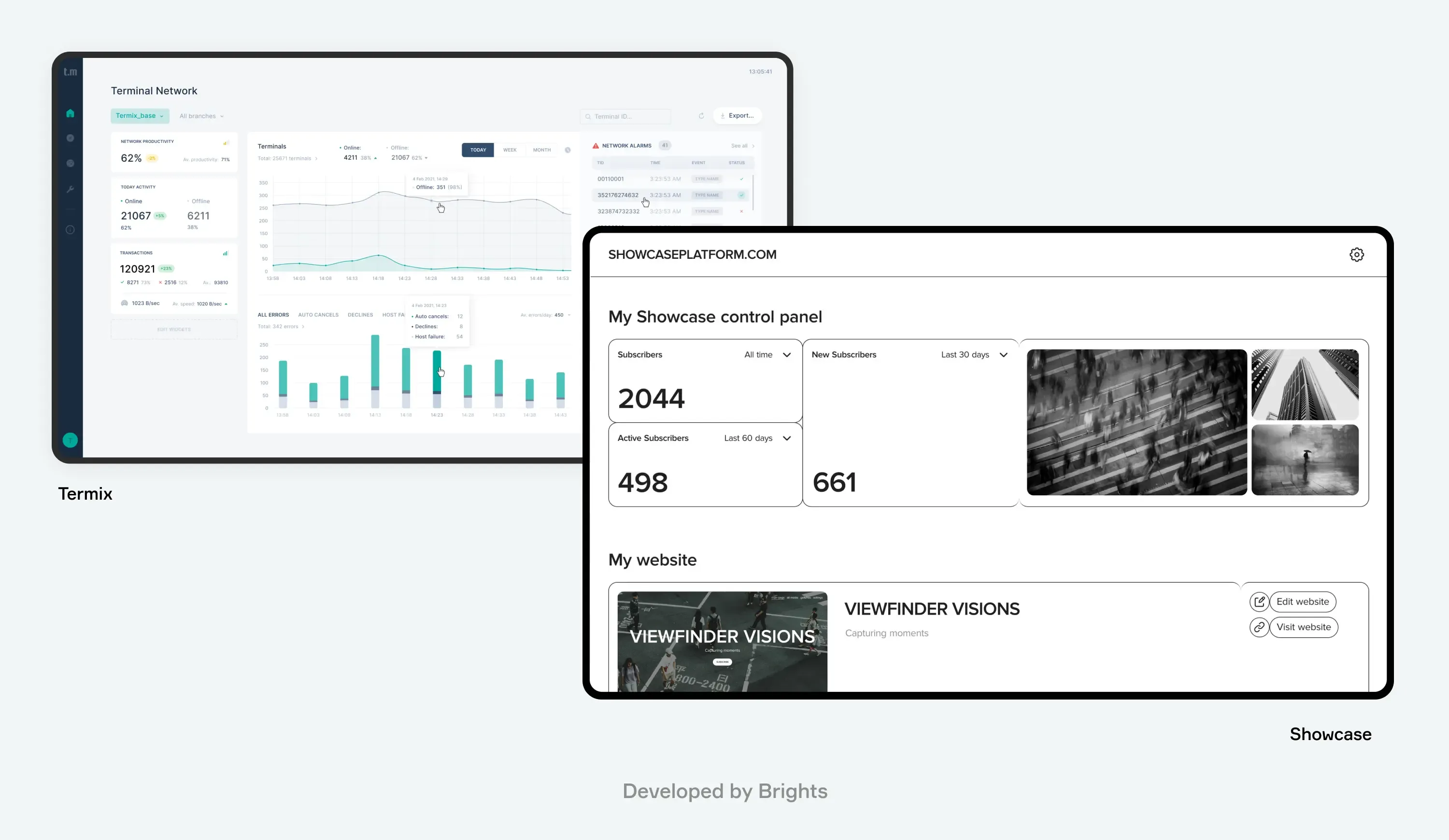
SaaS platforms developed by Brights
“Brights’ projects are the clearest proof of this approach in action. WindowSeat, a family-oriented audio content app, was launched in just four months, perfectly timed for a major parenting conference.
Showcase, a first-of-its-kind web builder for digital creators, gained its first followers even before the official launch.
And in just three months, Brights reworked Termix, an app for remote control of POS terminals, to make it more usable and better aligned with how clients use it.”
— The Brights team
Conclusion
The real value of modern SaaS application architecture shows up in daily product decisions. Over time, SaaS software architecture determines how easily a system can handle growth, change, and increasing complexity without slowing teams down. A solid setup makes it easier to ship updates, respond to shifts in the market, and keep systems stable as usage increases. That’s why SaaS platform architecture directly affects how a business operates and scales.
Designing Software as a Service architecture doesn’t have to be guesswork. Working with an experienced partner helps teams avoid common pitfalls and apply best practices for SaaS architecture that hold up in real products.
Brights has helped companies at different stages turn architectural decisions into systems that hold up as complexity increases. If you’re evaluating your options or planning the next stage of development, Brights’ SaaS consulting servicescan help you move forward with a clearer, more practical approach.
FAQ.
SaaS solution architecture defines how a product scales, stays reliable, and controls costs as usage grows. A strong SaaS infrastructure architecture and SaaS application architecture make it easier to support growth without increasing development and maintenance effort disproportionately.


