Application Modernization Case Studies: Three Ways To Fix Legacy Software

"Modernize the software" sounds like one task, yet in practice, it rarely is. A retail platform that's slow to load has a different problem than an insurance website users struggle to navigate, and both are different from a company whose servers are becoming a liability. Treat all three the same way, and you'll spend your budget fixing the wrong thing.
At Brights, application modernization covers a fairly wide range of work: UI/UX audits and redesigns, infrastructure review and updates, cloud migration, technical consulting, re-architecture, API modernization and system integration, among others. Which one a project needs depends entirely on where the actual problem sits — in the interface, in the code, in the infrastructure, or in how disconnected systems are from each other.
This piece walks through four application modernization case studies from our own client work, each one backed by a project where the fix was clear. None of these companies came to us asking for "modernization" as a generic line item — they had a specific, felt problem, and the diagnosis shaped everything that followed.
Key takeaways
Modernization isn't one service. UI/UX redesign, infrastructure updates, cloud migration, re-architecture, API integration, and consulting solve different problems. Matching the right one to your situation starts with an audit.
A UX problem and a code problem aren't the same. A platform can be technically solid and still be hard to use, or well-designed and still slow underneath. Diagnosing both separately keeps you from fixing what isn't broken.
Infrastructure problems often surface at the worst time. Performance issues tend to show up during peak load, not everyday use, so it's worth reviewing infrastructure before a spike forces the issue.
Migrations succeed or fail on sequencing. Breaking a system into components and moving them deliberately, rather than all at once, is usually what keeps a cloud migration free of downtime.
UI/UX audit and redesign. Making the product easier to use
A platform can work perfectly on the backend and still be difficult for people to use. A UI/UX audit and redesign starts with figuring out exactly where users are getting stuck, then rebuilding around what they're actually trying to do.
renovero: making a complex marketplace easy to navigate
renovero is the largest Swiss marketplace connecting customers with professionals for home services like lawn care, fence repairs, and window cleaning. The platform worked: customers could submit a request, and professionals could respond. But the design hadn't kept pace with the business, and both sides were struggling with the interface.
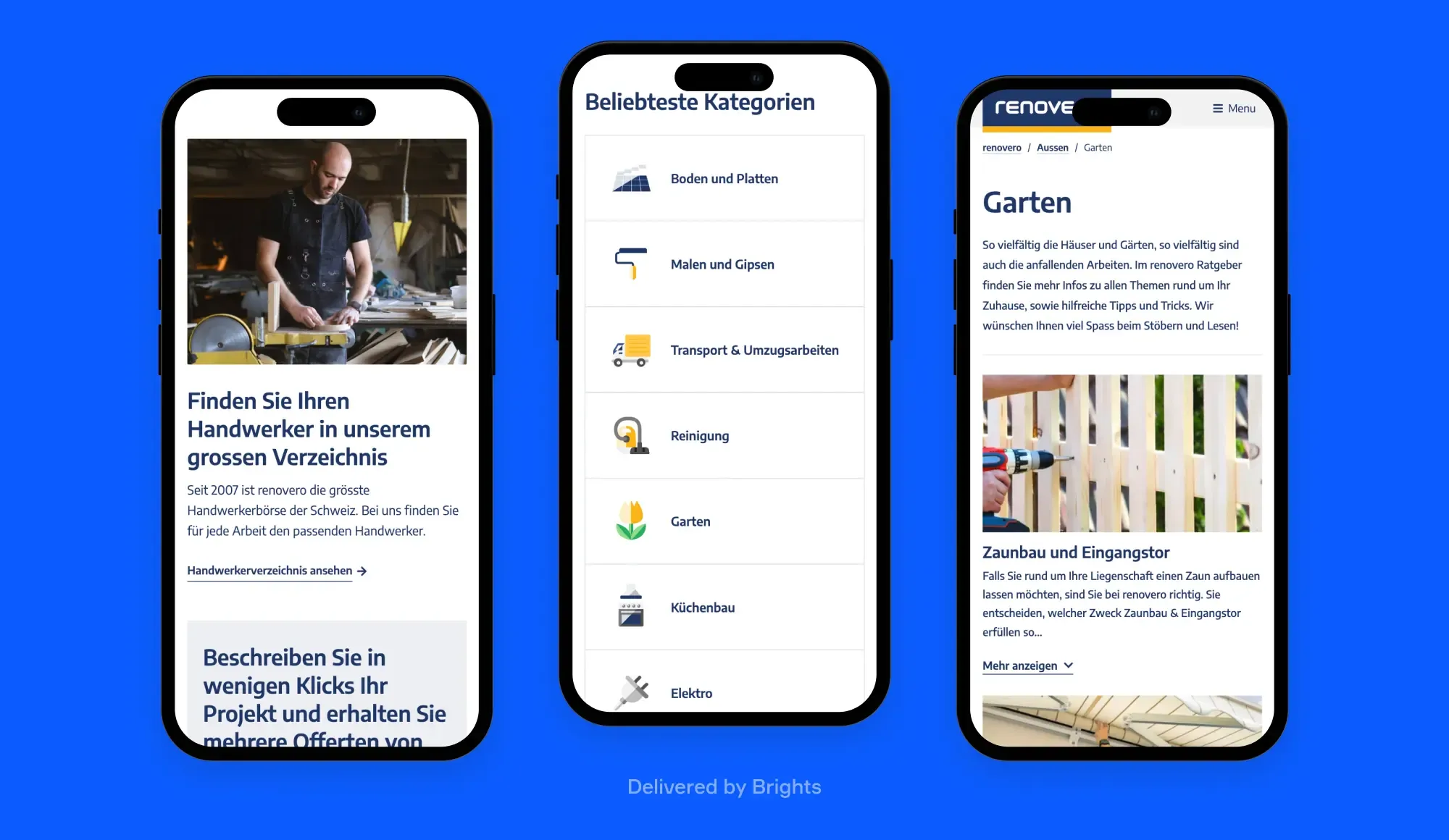
Our team ran a full UX and tech audit, which showed a heuristic evaluation score of 6 out of 10, driven by inconsistent design patterns and poor user control. We also found that a request submission process was complicated enough that users dropped off before finishing. While the codebase was well-structured overall, it had thin test coverage, some unpatched package vulnerabilities, and slow mobile page load times.
Based on these findings, the Brights team:
Rebuilt the submission flow into a clearer "wizard" structure, cutting steps and adding AI support to help users describe requests and pick categories
Redesigned core user flows across the homepage, category pages, blog, and personal accounts
Expanded the personal account experience for craftspeople and publishers, aligning it with new subscription tiers and custom layouts for premium features
Rebuilt the content management setup so renovero's own team could publish and localize updates without waiting on developers
This is a good example of a legacy application modernization case study where the underlying system wasn't the enemy — the experience built on top of it was.
INGO: simplifying navigation across a large insurance website
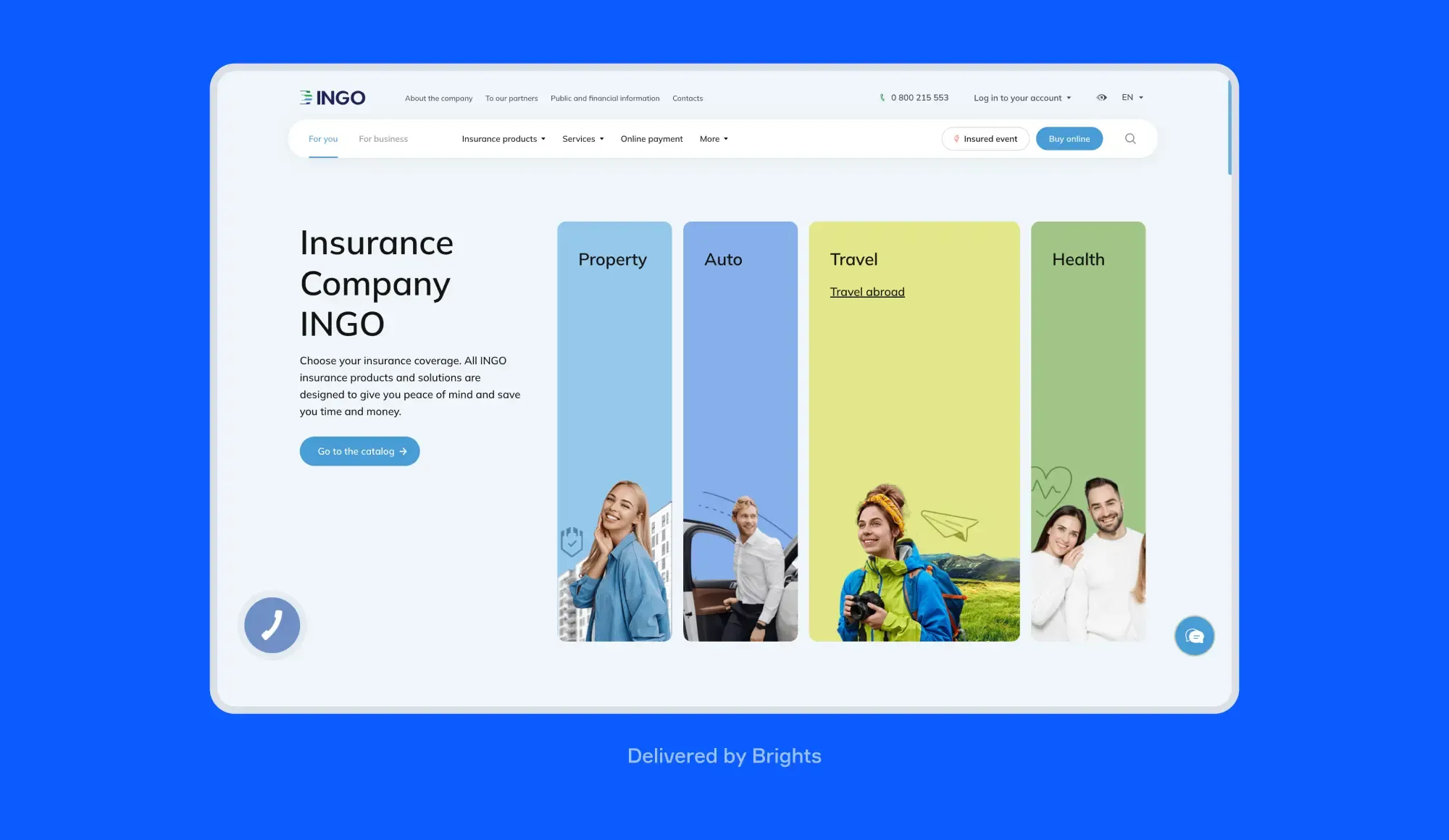
INGO, one of Ukraine's top three insurers by assets, faced a related but distinct version of the same problem. Years of adding landing pages without a real structure had turned the corporate website into something even the company's own product teams struggled to navigate. Corporate clients, retail clients, agents, and partners all needed different paths through the same site.
What we did:
Rebuilt navigation and search around clear, nested categories
Created a new UI kit so future pages would stay visually consistent
Replaced the old publishing process with a block-based admin panel that the internal team could manage independently
Built the site to the National Bank of Ukraine's 2023 accessibility regulations, with structured markup for screen readers, text scaling support, and alt text throughout
Integrated the careers page with a job listing platform, added a chatbot and mailing system, and embedded AIWA calculators directly into relevant pages
Small additions like the last point matter as much as the redesign itself — they're what turn a better-looking site into one that actually reduces work for the people running it day to day.
Infrastructure review and update. Building for scale
Now, let’s look at the opposite scenario. A platform's interface can look and work fine while the system running underneath it struggles to keep up — amid traffic spikes, growing data volumes, or new features layered onto an aging architecture. An infrastructure review and update looks past the screen, examining how the platform performs under load: response times, uptime during peak usage, and how easily the system scales when demand grows.
Yasno: preparing an energy platform for its worst-case traffic
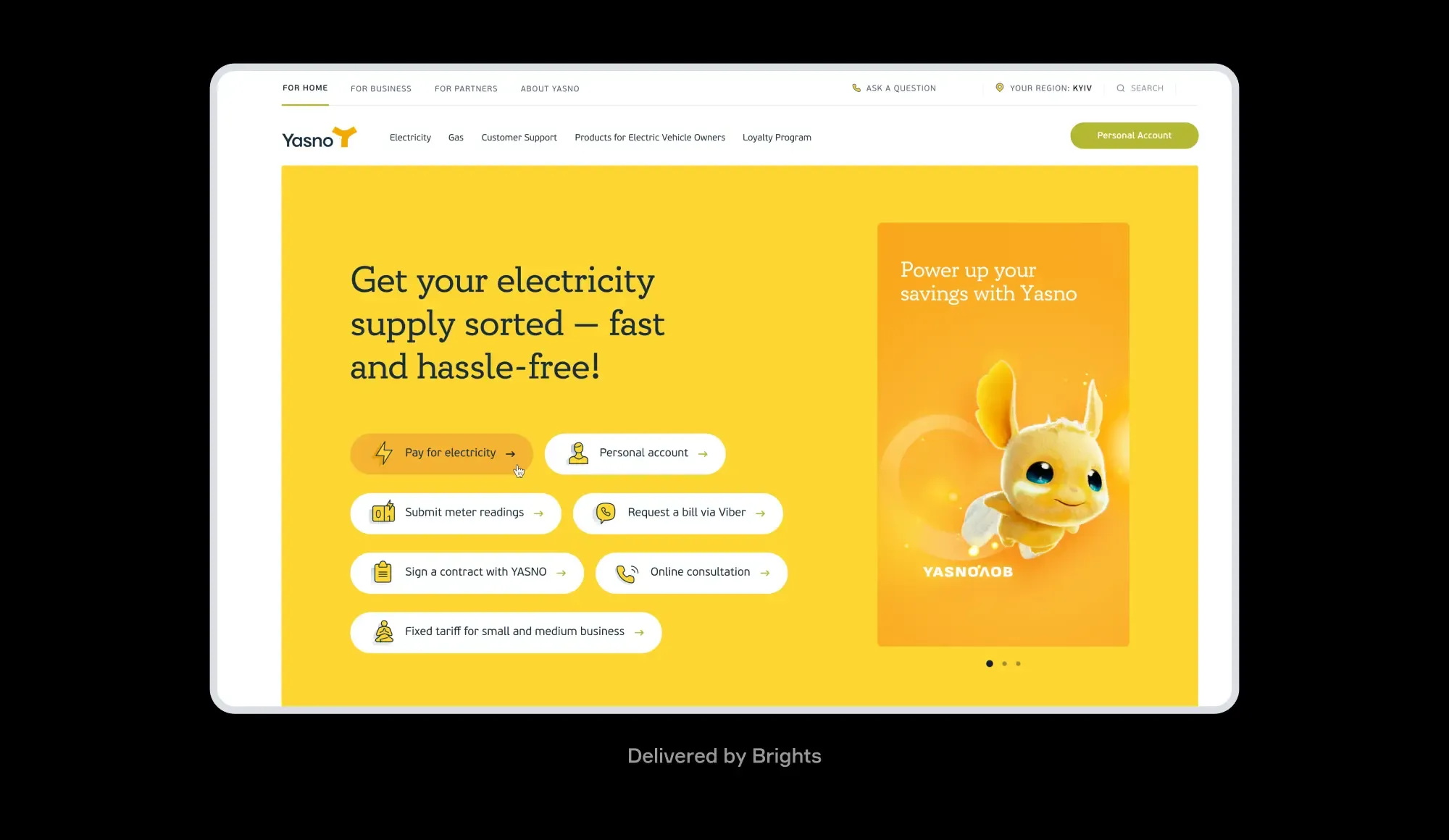
Yasno is a leading electricity and gas provider serving over 3.5 million customers across Ukraine. Their website needed to look current, but the bigger risk was what happened when traffic spiked — and for an energy company, that means the worst possible moments: widescale power outage announcements, when millions of people check the site at once.
Brights had built and maintained Yasno's site since 2019, and by 2023, it was time for a deeper infrastructure review and update.
What we did:
Upgraded the stack to the current versions of Vue.js, TypeScript, PHP, Laravel, and Kubernetes
Split the monolithic backend into separate services and added server-side rendering to improve load times and SEO
Rebuilt the Kubernetes cluster for better balancing and resource use
Moved deployment to Terraform so the environment could scale and recover automatically instead of relying on manual intervention
Migrated to a serverless-based database with automatic scaling, so capacity could expand on demand rather than depending on a fixed number of pre-provisioned servers
As a result of the upgrade, the site now handles traffic spikes of up to 2 million users an hour without breaking down. In addition, API performance improved roughly tenfold after optimization.
Cloud migration. Moving without missing a beat
The third kind of problem sits at the infrastructure level: aging on-premise servers, rising maintenance costs, and security or scaling limits that no amount of code or design work can fix. Cloud migration moves the entire environment to a more secure, scalable, and cost-effective environment, ideally without anyone outside the project noticing it happened.
PMI: moving a full IT ecosystem to AWS with no downtime
Philip Morris International (PMI), one of the world's largest multinational companies and one of Brights' longest-standing clients, needed to move its databases, web applications, and integration services off its legacy VDS infrastructure and onto AWS Cloud, without disrupting the systems the business depended on daily. Given how much rode on uninterrupted uptime, the team referred to it internally as a "bulletproof migration" — there was no room for a failed cutover.
Our approach included:
Breaking each project into components and upgrading outdated pieces first
Planning the migration path for each component individually, rather than moving everything at once
Setting up new CI/CD pipelines using Bitbucket, Jenkins, and JFrog Artifactory
Scripting the infrastructure with Terraform and Ansible so the environment could be rebuilt reliably instead of being configured by hand
Migrating the full IT ecosystem to AWS services, including EC2, RDS, ECS, and CloudWatch
Building in secure access controls and automated backups from the start
This application modernization case study is a useful reminder that cloud migration is mostly about reducing dependency on aging, costly infrastructure while building in the monitoring and automation that make a system easier to maintain going forward.
The safest migrations are rarely the fastest ones. Breaking PMI's ecosystem into components and moving each one deliberately is what made a zero-downtime cutover possible.
Matching the fix to the actual problem
None of these application modernization case studies used the same playbook, and that's the point. INGO and renovero needed people to use their services with ease. Yasno needed a system that wouldn't buckle under pressure. PMI needed a new foundation entirely.
Technically, all of it is modernization, but the actual work looks different every time — and UI/UX redesign, infrastructure updates, and cloud migration are just three of the services that can be the right answer. Depending on what's actually broken, the fix might just as easily be a re-architecture, an API modernization and system integration project, or a round of technical consulting to figure out where to start.
That's why the first step in any project we take on is figuring out which problem you're actually solving. It's tempting to jump straight to a full rebuild once a platform starts showing its age, but all the abovementioned projects had one thing in common: parts of their systems were working well and didn't need to be touched. An audit is what tells you which parts those are, so budget and time go toward the pieces actually causing the problem.
FAQ.
Application modernization covers any update that brings an existing system closer to current standards — whether that's the user interface, the underlying code and architecture, the infrastructure it runs on, or how it connects to other systems. It's rarely just one of these on its own.

