Best CRM Platforms by Team: Sales, Marketing, Support, and More

Choosing the right CRM rarely comes down to a feature count. A sales director, a marketing lead and a support manager can test the same three CRM platforms and come back with three different winners, because each judges the tool by the one job it has to do for their team.
That is why "best CRM" rankings that score everything on a single scale often mislead. Every CRM keeps customer records in one place, but the part of it that a team opens every morning, the deal board, the email builder, the ticket queue, differs by role, and so does the right choice.
This article is a CRM solutions comparison built around teams and functionality. It weighs leading CRM software based on what sales, marketing, customer support, and IT teams need day-to-day, 2026 pricing, the AI each platform ships with, and what it takes to roll one out.
What is a CRM?
A CRM, short for customer relationship management, is a platform that helps businesses keep every interaction with customers and prospects in one shared record: contacts, companies, deals, emails, calls, and support requests. Instead of each person keeping notes in a spreadsheet or an inbox, the whole company works from the same history.
In practice, a CRM does three jobs:
It records who the customer is and what has happened so far.
It organizes that information: deals into a pipeline, contacts into segments, and requests into queues.
It automates the routine steps, such as reminders, follow-up emails, lead assignment, and reports.
What are the 4 types of CRM?
CRMs are usually grouped into four types by the job they emphasize. Modern platforms blend all four, so the split is less a product category than a way to name which job matters most to you.
| Type | Main job | Typical users |
|---|---|---|
| Operational | Runs day-to-day work: pipelines, campaigns, tickets, and the automation around them | Sales reps, marketers, support agents |
| Analytical | Turns customer records into reports, forecasts, and segments | Managers, analysts, revenue operations |
| Collaborative | Shares one customer record across teams and channels, so handoffs keep their context | Cross-functional teams |
| Strategic | Focuses on long-term relationships and retention rather than single transactions | Account managers, customer success |
The team sections below follow the same logic. The sales and support picks are mostly operational, while the tools that put marketing, sales, and service on a single database are lean and collaborative.
Does my team need a CRM?
If your whole customer list fits in one person's head, probably not yet. The case for a CRM builds once a few of these sound familiar:
More than one person talks to the same customers, and they regularly ask each other whether anyone replied.
Leads and requests go missing somewhere between the inbox, chat, and spreadsheets.
Nobody can say quickly how many deals are open, at which stage, and what they are worth.
Follow-ups depend on someone remembering them.
If one key person left, the customer history would leave with them.
Two or more of these usually mean the spreadsheet already costs more time than it saves. The next step is to decide which team the CRM must serve first — and that is where the comparison below starts.
CRM platforms compared at a glance
| CRM | Best for | Free plan | Paid plans from (per user/month, billed annually) | AI layer |
|---|---|---|---|---|
| Salesforce Sales Cloud | Large, complex sales organizations | Free Suite, up to 2 users | $25 (Starter Suite) | Agentforce |
| HubSpot | Marketing-led teams | Free CRM, up to 2 users | $20 per seat (Starter, monthly list) | Breeze agent |
| Pipedrive | Small and mid-size sales teams | No, trial only | $14 (Lite) | Pipedrive AI |
| Zoho CRM | Budget-conscious SMBs | Up to 3 users | $14 (Standard) | Zia |
| monday CRM | Project-driven teams | No | $12 per seat, 3-seat minimum | monday AI |
| Freshsales | Phone-heavy SMB sales | Up to 3 users | $9 (Growth) | Freddy AI |
| Close | Outbound and inside sales | No, 14-day trial | $9 (Solo, 1 user); $35 for teams | Chloe AI agent |
| ActiveCampaign | Email-led marketing | No, 14-day trial | $15 per month for 1,000 contacts | Active Intelligence |
| Zendesk | Customer support | No, 14-day trial | $19 per agent (ticketing); $55 (Suite Team) | AI agents, Copilot add-on |
| Attio | Startups and IT companies | Up to 3 seats | $35 (Plus) | Ask Attio |
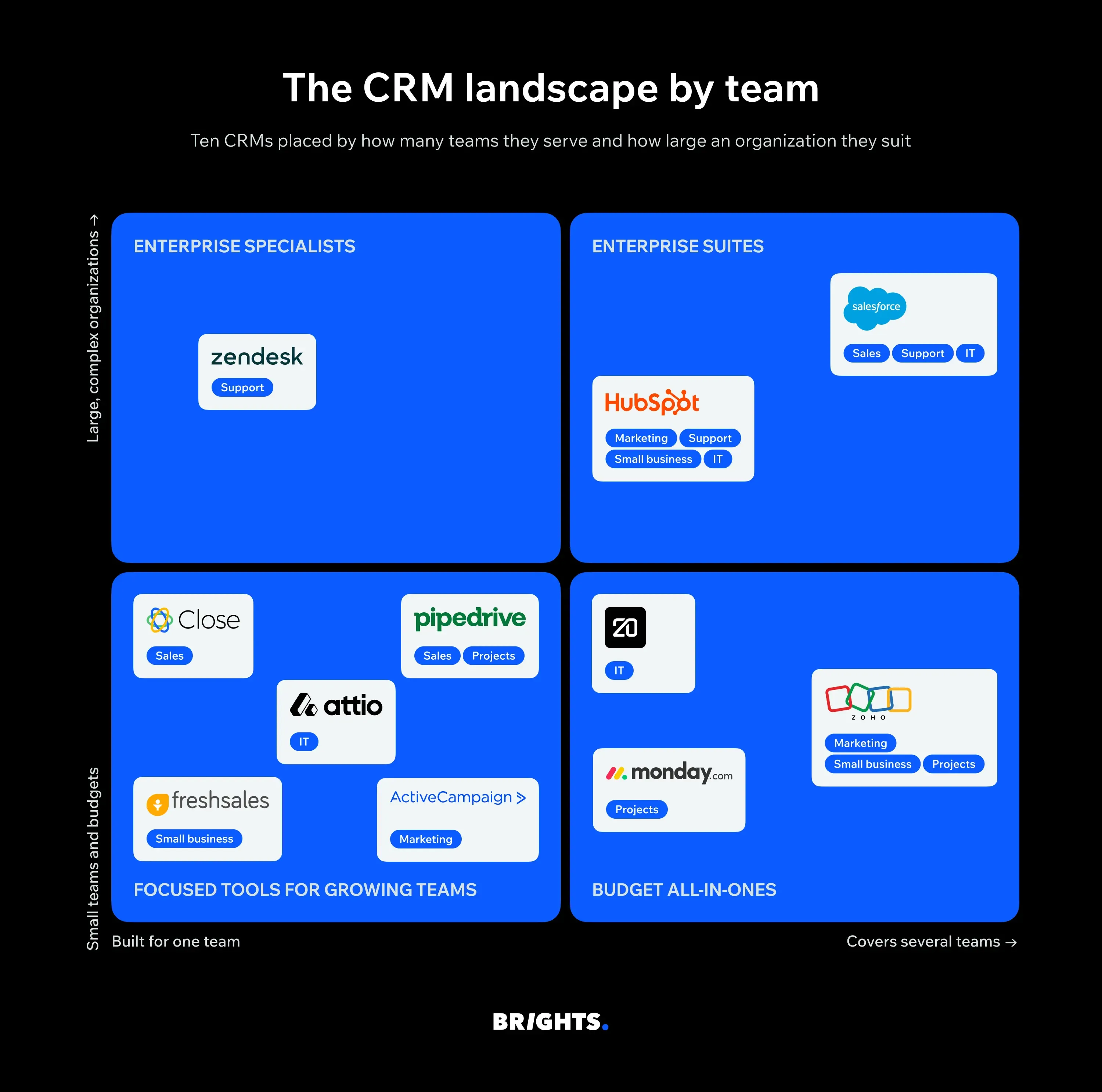
Salesforce is still the most popular CRM by revenue: IDC put its 2025 share at 20.0%, its 13th straight year at number one. Market share, however, tells you little about fit. The table below lines up ten CRM platforms by the team each one serves best, its entry price, and the AI layer it ships with.
Best CRM platforms for sales teams
Sales teams judge a CRM by one question: Does it help close the next deal faster, or does it add admin? That puts three things above everything else — a sales pipeline reps can read at a glance, reminders that keep every deal moving, and enough workflow automation to keep records current without manual typing.
Pipedrive: the clearest view of the pipeline
Producthunt rating: 4.4 / 5.0
Pipedrive was built around the deal board, and it shows. Every deal is a card moving through stages, and the app nudges reps toward their next activity rather than toward data entry. For a team of five to fifty, that makes sales pipeline management close to self-explanatory.
The catch sits in the plan ladder. Pipedrive consolidated to four plans in 2026: Lite, Growth, Premium and Ultimate and automations start on Growth. So if you want the CRM to move deals forward on its own, budget for Growth at about $39 per seat rather than the $14 headline price.
Salesforce Sales Cloud: for complex, multi-team selling
Producthunt rating: not available
Once a sales organization spans regions, product lines and approval chains, flexibility starts to matter more than simplicity. This is where Salesforce earns its place: forecasting, quoting, territory rules and a marketplace of add-ons can be shaped around almost any process.
That depth now comes in a new package. In September 2026 Salesforce replaced Enterprise and Unlimited with Core, Advanced and Max editions at $195, $395 and $550 per user per month, each bundling Agentforce credits; Starter Suite ($25) and Pro Suite ($100) stay for smaller teams (aliteq). In practice, most companies also pay an implementation partner, so treat the license as the smaller half of the budget.
Close: built for outbound and inside sales
Producthunt rating: 4.8 / 5.0
If your reps spend the day on calls and sequences, switching between a dialer, an inbox and the CRM costs real selling time. Close removes that switching: calling, SMS and email sequences sit inside the lead record, which makes lead management fast for high-volume teams.
As with Pipedrive, the plan you need is rarely the cheapest one. Close's team plans start at $35 per user on Essentials, while the Power Dialer and the Chloe AI sales agent arrive with Growth at $99.
All three picks trade breadth for focus, and that trade works only while sales owns the customer alone. Once sales and marketing need to share a single record for every lead, the priorities shift — which is where the next group of tools comes in.
Best CRM platforms for marketers
Marketers need a different slice of the same database. Instead of a deal board, they work with segments, campaigns and attribution, so the CRM has to tie email, forms and social media activity to the customer data sales already holds. The real test is marketing automation analytics and reporting: can you see which campaign produced which deals?
HubSpot: one record for sales and marketing
Producthunt rating: 4.8 / 5.0
HubSpot's strength is that its marketing, sales and service hubs sit on the same contact records. A lead's form fill, email clicks and deal history appear in one timeline, which is why HubSpot often becomes the default where marketing generates most of the pipeline.
Pricing, though, works differently on the marketing side. Marketing Hub Professional is a flat $890 per month that includes three core seats and 2,000 marketing contacts, with more contacts billed in tiers. Because workflows require Professional or higher, plan the budget around that tier, and keep inactive contacts out of the billable count.
ActiveCampaign: email automation first
Producthunt rating: not available
For teams whose growth runs through email, ActiveCampaign offers deeper journey building than most CRMs, with a contact record and pipeline layered on top. That order of priorities is its appeal and its limit: the automation builder is excellent, while sales features stay lighter than in a dedicated sales CRM.
Cost follows list size rather than seats. Starter is $15 per month for 1,000 contacts on annual billing, Plus is $49 and Pro is $79, and Starter stops at 10,000 contacts.
Zoho: the budget all-in-one
Producthunt rating: 4.7 / 5.0
If the marketing budget is tight, the wider Zoho suite covers campaigns, social publishing, and surveys around the CRM for less than most rivals. Zoho CRM Plus bundles these apps at about $57 per user per month billed annually. The trade-off is setup effort: the suite is broad, so someone has to own its configuration.
Whichever you choose, marketing tools pay off only when the data keeps flowing after the sale, to the team that answers customers once they have signed.
Best CRM systems for customer support
Support teams care less about pipelines and more about queues, response times and context. When a ticket opens, the agent should already see what the customer bought, what they asked last time and whether a renewal is pending. That shared history is what keeps customer experiences consistent, because nobody has to ask the same question twice.
Zendesk: support comes first
Producthunt rating: 4.0 / 5.0
Zendesk started as a help desk and built the customer context around the ticket, so routing, macros and SLAs feel native rather than bolted on. Its 2026 ladder is short: Support Team at $19 per agent covers email ticketing, Suite Team at $55 adds messaging, live chat, voice and AI agents, and Suite Professional at $115 adds advanced routing and reporting. The AI Copilot for human agents is a separate $50 add-on.
One change matters for growing teams. Zendesk dropped the mid-priced Suite Growth tier in 2026, so the next step after Suite Team is Professional at more than double the price.
HubSpot Service Hub: when marketing and customer service share data
Producthunt rating: 4.8 / 5.0
If marketing already runs on HubSpot, adding Service Hub keeps tickets on the same contact record that holds campaigns and deals. That makes it easy to spot, for example, an unhappy customer before sales pitches an upsell. Note that the Breeze Customer Agent, HubSpot's AI for answering inbound questions, needs Service Hub Professional or Enterprise.
Salesforce Service Cloud: for large contact centers
Producthunt rating: not available
For hundreds of agents across channels and regions, Service Cloud offers the same depth as Sales Cloud and now uses the same Core, Advanced, and Max editions. Its autonomous Help Agent is included from Advanced, with outcome-based pricing that charges only when an issue is resolved.
For a company of ten people, though, a dedicated customer support platform is often more than the work requires. Small teams usually do better with one tool that covers the basics well.
Best CRM for small businesses
For small businesses, the tightest constraint is rarely features. It is time. Nobody has a spare week to configure a CRM, so the best options here are to run it in an afternoon and still have room to grow without a migration later. All three picks below offer a permanent free plan, which lets a team test whether people will actually log their work before anyone pays.
HubSpot Free CRM: start free, stay on one platform
Producthunt rating: 4.8 / 5.0
HubSpot's free CRM covers up to two users with contacts, deals, forms, and live chat, though workflows are not included. Its value for a small team is the upgrade path: when marketing or support needs more, the same records carry into paid hubs instead of moving to a new system.
Zoho CRM: the most room on a free plan
Producthunt rating: 4.7 / 5.0
Zoho's free edition supports up to 3 users and includes leads, contacts, accounts, deals, basic workflows, standard reports, and the mobile app, with no time limit. When the team outgrows it, Standard costs $14 per user per month, and Professional $23 per user per month, on an annual billing cycle.
Freshsales: a built-in phone from day one
Producthunt rating: 4.0 / 5.0
Freshsales suits small teams that sell by phone. Its free plan for up to three users already includes built-in calling and email, and Growth costs $9 per user per month billed annually. Plan ahead for Pro at $39, though, because multiple pipelines, sequences and territory rules sit there.
A practical rule for small and medium-sized businesses follows from all three: choose the platform you expect to need in a year, then check that its free or entry plan works for you today. Switching later costs far more in lost customer data and retraining than any difference in license fees.
Best CRM for project-driven teams
For agencies, consultancies and service firms, the signed deal is only the start: it turns into a project with tasks, owners and deadlines. If the CRM and the delivery tool don't talk, someone retypes the scope, budget, and contacts, and details slip through the handoff. That is why CRM functionality with project management has become a buying criterion of its own.
monday CRM: one board from lead to delivery
Producthunt rating: 4.8 / 5.0
monday CRM runs on the same board engine as monday's work management product, so a won deal can open a delivery board without leaving the platform. Sales plans cost $12, $17, and $28 per seat per month on an annual billing cycle, sold in seat buckets with a three-seat minimum.
Two details shape the real cost. Work Management is a separate product with its own seats — its Pro plan adds $19 per seat — and automation runs on counted actions, so Pro is the practical plan for teams that automate daily.
Pipedrive with the Projects add-on
Producthunt rating: 4.4 / 5.0
If sales already lives in Pipedrive, its paid Projects add-on extends the deal into a simple delivery plan, sold alongside add-ons such as Campaigns and LeadBooster. It suits light post-sale work; for complex delivery, a dedicated project management tool connected by integration remains the safer route.
Zoho One: CRM and projects in one suite
Producthunt rating: 4.7 / 5.0
Zoho One bundles the CRM with Zoho's project, help desk, and finance apps from $37 per employee per month on annual billing. Per-employee pricing makes sense once most of the company needs at least one Zoho app.
Project-driven selling is especially common in tech services, where the next question is usually how well the CRM fits engineering tools as well.
Best CRM for IT companies
A CRM for IT companies has to handle what generic sales tools gloss over: long cycles with several technical stakeholders, deals that turn into statements of work, and a stack where the CRM is one service among many. That moves the weight onto integration capabilities and the data model. Can you add objects such as projects, environments or contracts, and reach them through an API?
Attio: a data model you design
Producthunt rating: 4.8 / 5.0
Attio starts from a flexible database and lets teams create their own objects and lists, instead of fitting the process into fixed contact, company and deal fields. It also ships an MCP server, so AI assistants can read and update records, with each write waiting for approval by default.
After a July 2026 repricing, Attio is free for up to three seats, Plus costs $35 per seat for up to ten seats, and Pro costs $79 on annual billing; AI features draw on monthly credits. That makes it a strong fit for startups and product companies, less so for teams that need built-in marketing automation.
HubSpot: a broad ecosystem and fast rollout
Producthunt rating: 4.8 / 5.0
Many SaaS and IT services firms settle on HubSpot when inbound marketing drives a large share of their pipeline. The main limit for technical teams is the data model: custom objects arrive only with Enterprise, so check early whether standard objects can hold your deal structure.
Salesforce: for vendors selling to enterprises
Producthunt rating: not available
When an IT company sells multi-year contracts to large clients, Salesforce's custom objects, approval flows and security controls match what procurement teams expect to see. Plan the edition carefully, though: API access starts at Core, not Pro Suite, and for most IT companies an integrated CRM is the whole point.
Across all three, the CRM features that sound most impressive in demos today are AI ones — so they deserve a closer, more skeptical look.
Twenty CRM: open source and fully in your hands
Producthunt rating: 4.7/5
Twenty is an open-source CRM for teams that want to own their data and shape the system around their own process. Custom objects and fields can be created through the interface without code or SQL migrations, even in the free self-hosted version. Cloud workspaces also include a native MCP server, so AI clients such as ChatGPT, Claude, and Cursor can read and update CRM data.
Self-hosting is free and includes every feature, so you pay only if you want Twenty to run it for you. Cloud plans start at $9 per user per month, and the Organization plan at $19 per user adds SSO. That makes Twenty a natural fit for IT companies with in-house engineers.
Bright’s case study: integrating all analytics under one dashboard
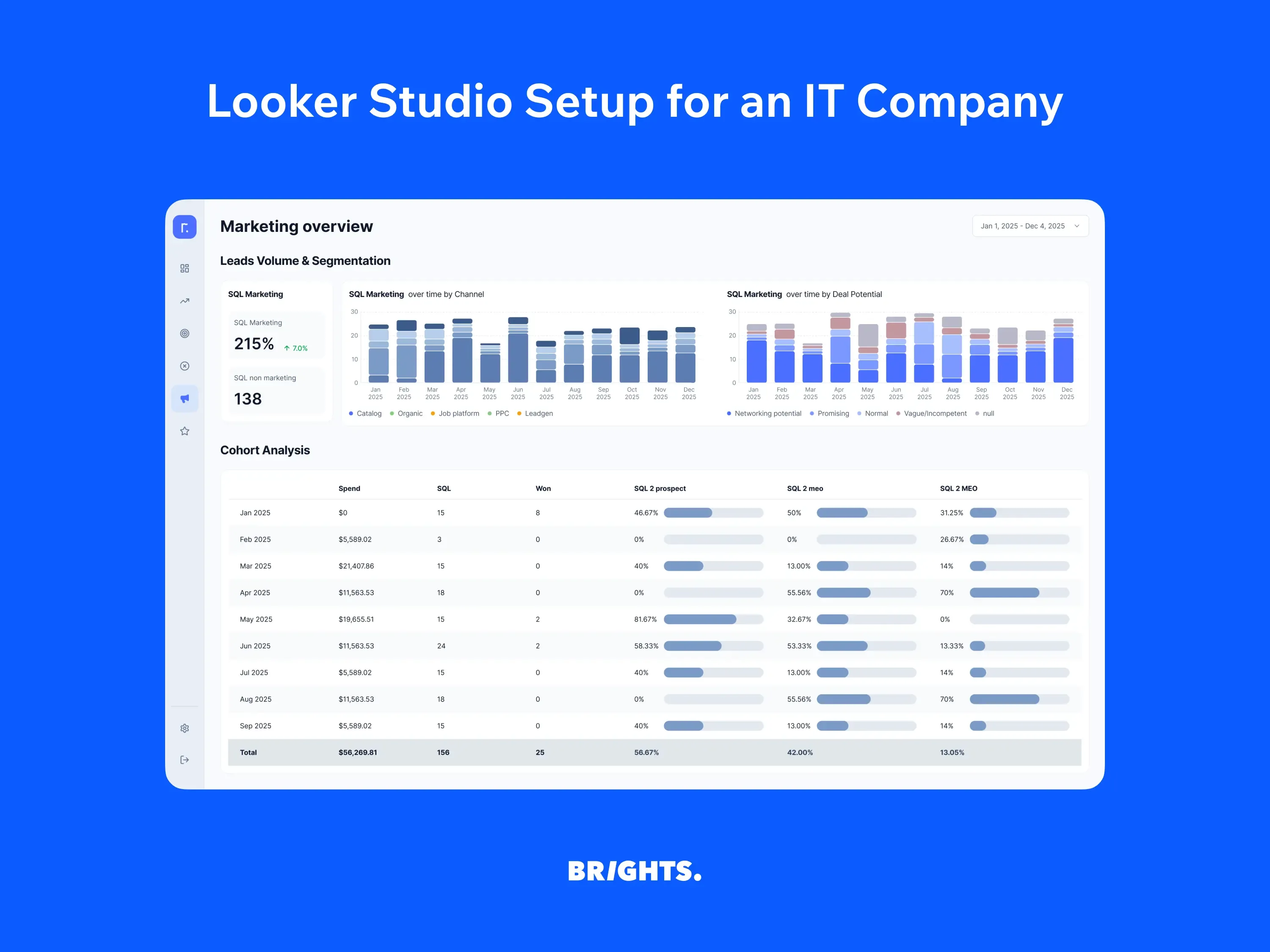
A software development agency spent 2–3 days preparing each report from five tools. Brights pulled HubSpot deal stages, GA4, Search Console, Google Ads, and finance data into one Looker Studio dashboard, with about 80% of the data flow automated. Decisions now come 2–3 days earlier each cycle, and budget moves to the channels that convert from SQL to Won.
AI sales tools and AI agents: what is real in 2026
Every vendor in this guide now sells AI, but what each CRM offers falls into two different kinds. Assistants help a person work faster by drafting an email, summarizing a call, or scoring a lead. AI agents go a step further by completing tasks on their own, such as answering a support chat or researching and contacting a prospect.
The agent side is maturing quickly, but unevenly. As of July 2026, HubSpot had three Breeze agents generally available, with more in beta. Salesforce now bundles Agentforce usage into its editions as Flex Credits counted per organization per year: 500,000 on Core, 1 million on Advanced, and 2.75 million on Max. Close and Attio take a similar route and meter their AI through monthly credits.
Two practical conclusions follow. First, AI sales features are only as good as the customer data beneath them: an agent cannot segment leads by industry if half the records leave that field blank. Second, pricing is moving from seats to usage, so ask each vendor how many credits a typical month of your work will consume before comparing headline prices.
Bright’s case study: agentic AI for marketing teams
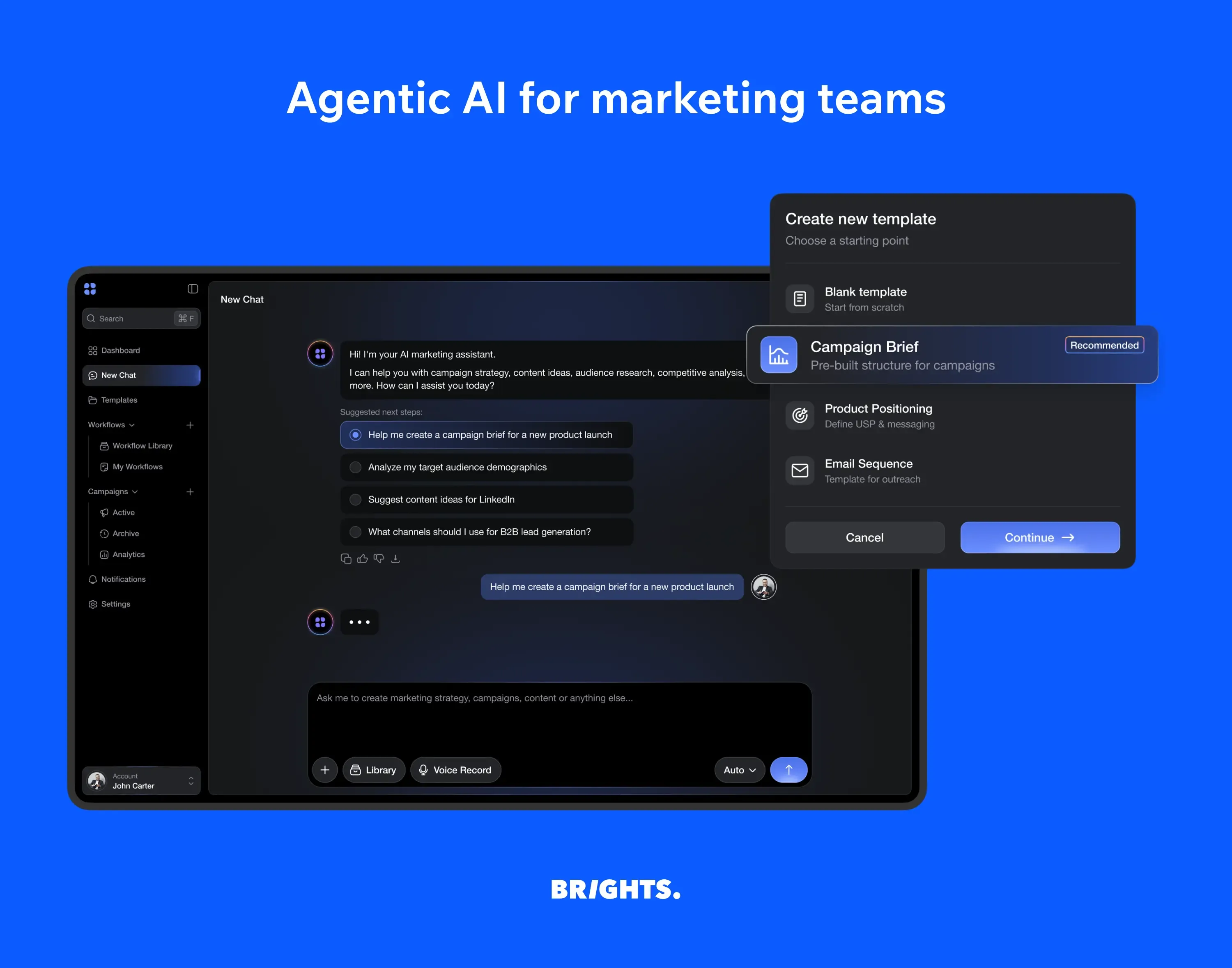
For a SaaS startup, Brights built a no-code AI workspace where specialized agents run research, briefs, and competitive analysis inside a team's own workflows, connected to 30+ tools including CRMs. Research that took senior marketers hours now runs in minutes.
How to choose the right CRM in five steps
The team-by-team picks narrow the field; these five steps turn a shortlist into a decision.
Name the primary team. Decide whose daily work the CRM must serve first — sales, marketing, or support, and start from that team's section above. A tool that suits every team equally usually suits none of them well.
Map the handoffs. List where customer records pass between teams: lead to deal, deal to project, customer to ticket. Each handoff is a point where sales and marketing, delivery or support need the same data, so it shows which integrations you cannot do without.
Price the tier you will actually use. Find the plan that includes workflow automation, reporting, and analytics, and the seat count you expect in 12 months. That figure, not the entry price, is your comparison point.
Check the data model and API. If you sell anything beyond standard deals, subscriptions, projects, or bookings, confirm the CRM can store it as its own object and expose it through an API.
Run a two-week pilot with real data. Import a slice of real contacts, ask reps to work in it daily, and watch which CRM tools they keep opening. Adoption predicts value better than any feature list.
CRM implementation: from kickoff to everyday use
Once the pilot picks a winner, the rollout decides whether the CRM becomes a habit or another tab nobody opens. Six steps keep it on track.
Appoint an owner and set two or three goals. One person decides on fields, stages and access. Goals should be observable, such as "every open deal has a next step" or "no request waits more than a day for a reply".
Clean the data before you move it. Remove duplicates and dead contacts, and agree on one format for names, companies, and phone numbers.
Configure the minimum first. Set pipeline stages that mirror how you actually sell, and include only the essential fields. Extra fields can wait until someone asks for them.
Connect the systems that create customer activity. Email, calendar, and website forms come first, followed by the billing or operations tools where customers act after the sale.
Train by role, not by feature. Reps learn the deal flow, managers learn the reports, admins learn the settings. A one-hour session per role beats a full-day tour of every menu.
Review at 30 and 90 days. Check the goals from step one, delete fields nobody fills in, and automate the steps people repeat most often.
A rollout rarely stalls on technology; it stalls when people see the CRM as extra admin. Keeping the first version small and adding to it as the team asks is the most reliable way to avoid that.
When an off-the-shelf CRM is not enough
Sometimes the question is not which CRM to pick, but how far any packaged CRM can stretch. The signs are familiar: reps keep their real notes outside the system, a core process needs a manual workaround, customer data sits in several tools that disagree, and license costs grow faster than the value the platform returns.
At that point, there are two ways forward, and the right one depends on how much of your process the current platform already covers.
Integrate what you already have. If the CRM fits most of how you work, the gap usually lies in the connections. A custom integration links it to your ERP, billing, website, product database or support tools through APIs and webhooks, so records update themselves and workflows fire on real events instead of manual input.
Build a CRM around your process. When no platform fits without constant workarounds, a CRM built from scratch can include exactly the features your teams need: your own data model and objects, pipelines and automation rules, role-based access, reporting, and the integrations your stack requires from day one. You own the code and the customer data, with no per-seat licenses and no vendor roadmap to wait for.
Brights works on both paths. We start by assessing your workflows, data, and existing tools, then either build the integrations your CRM is missing or develop a custom CRM with all the features your business needs.
FAQ.
Configuring an existing platform around your processes usually takes weeks; a custom CRM build takes months, depending on the workflows and integrations involved. The biggest variable is rarely the software, it is how clean your current data is and how quickly the team agrees on stages and required fields.


